Will existing members have to register again?
No. Registration forms are an onboarding step for customers who register after the configured start date. Existing customers are not asked to repeat registration.
Ask about injuries and goals before a new member's first class.
No credit card needed

See it in action
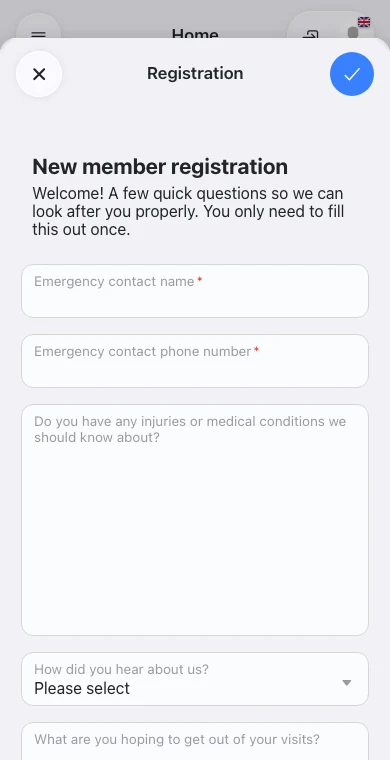

Reception example: Getting to know a new member as class starts
“With OmceanBooking registration forms, I review goals before new members arrive. I can welcome them properly instead of rushing questions or handing out another form before class.”
Studio instructor
Let new members share their details and class goals before arriving.
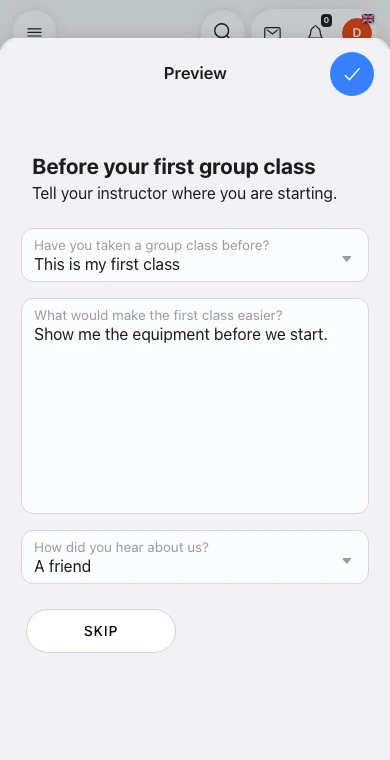
Open Custom Features and find Intake Form. If it is disabled, enable it or start an available trial first. Click its cog, choose New on the Forms list, then select Registration under Type. The guided tour pauses at each of these steps and never saves or publishes a form.
Can questions depend on an earlier answer?
Yes. Add a rule to an item in the form to show it or require an answer when another question matches. Save the rule and then the form. For example, show injury details only when the customer answers Yes to an injury question.
Can I include instructions without asking for an answer?
Use an Info box for a callout with an optional emoji, or Paragraph for plain text. Both support separate English and Chinese content and can be shown conditionally.
Can a parent add a child through the form?
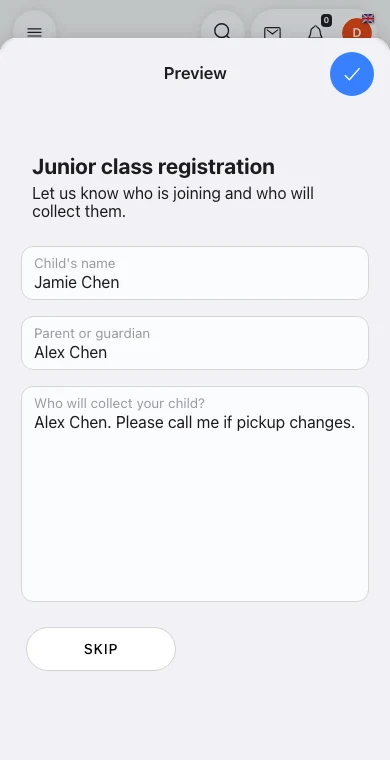
Yes. Add Dependent embeds Name, Profile picture, Birthday, and Notes. A submitted dependent is created under the customer account. Name is required when adding one; the other fields are optional.
Frequently asked questions
No. Registration forms are an onboarding step for customers who register after the configured start date. Existing customers are not asked to repeat registration.
Yes. Start with a registration template and adapt the questions. Ask for relevant information, such as current injuries and what the member wants to work on.
Staff with the relevant access can review submitted responses in the form history. Check these before the member's first visit to prepare the session.
See how other businesses use this product

Transform your wellness spa with comprehensive booking management that integrates diverse holistic treatments and practitioner schedules for complete healing experiences.

Transform your massage therapy practice with specialized booking management that accommodates treatment duration and therapist specializations for healing experiences.

Automate every step of the acupuncture patient journey—from first consult to herbal refills—while keeping practitioners focused on treatment, not spreadsheets.

Transform your dental practice with specialized booking management that eliminates administrative complexity and lets your team focus on exceptional oral healthcare.
Send us a message and we'll respond within 24 hours
All Features Included
No credit card needed