What can a member use to identify themselves?
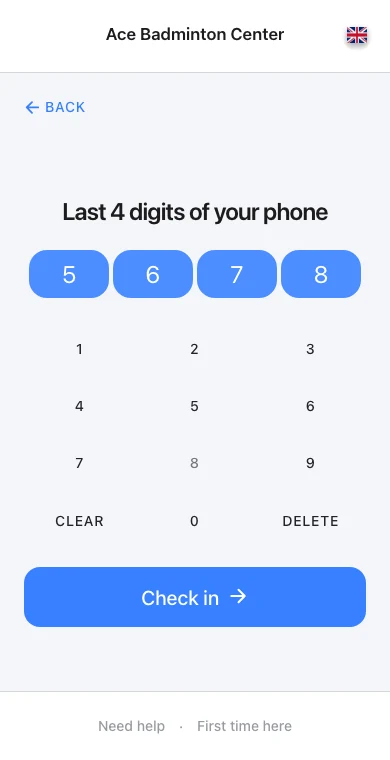
Use the options enabled in your kiosk configuration. The example demonstrates selecting email and entering the address used by the member.
Let arriving members start check-in while reception helps someone else.
No credit card needed

See it in action
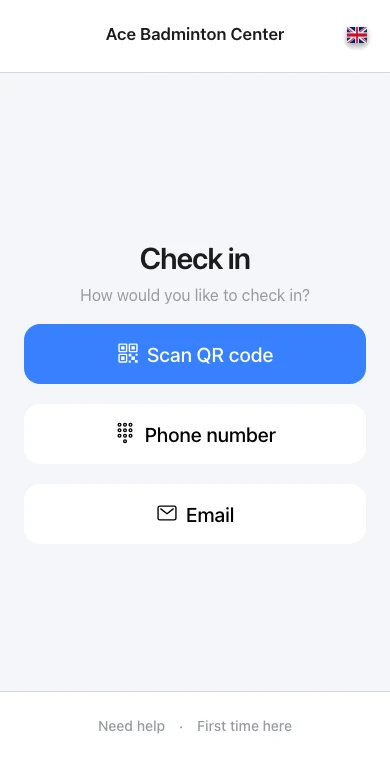

Reception example: The rush before evening class
“Evening check-in queues kept us busy. With OmceanBooking self-service check-in, average waits are down 50%, giving our front desk more time to help members.”
Front-desk manager
Let members check themselves in and record class attendance.
Frequently asked questions
Use the options enabled in your kiosk configuration. The example demonstrates selecting email and entering the address used by the member.
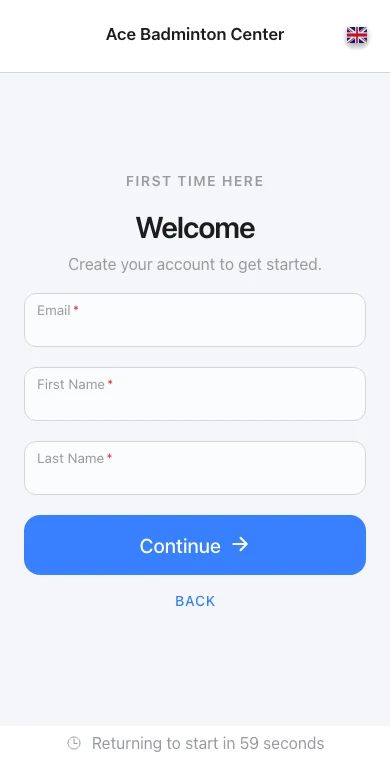
Yes. Kiosk check-in is connected to the scheduled class and attendance workflow. Review your kiosk settings before placing the device at reception.
Instructor check-in is available where supported by your kiosk setup. It records attendance; class-pay calculations are configured separately.
See how other businesses use this product

Transform your fitness studio with comprehensive booking and membership management that maximizes class capacity while helping members achieve their fitness goals.

Transform your yoga or dance studio with specialized booking management that accommodates diverse classes and instructor availability for mindful movement experiences.

Transform your Pilates studio with comprehensive booking management that coordinates specialized equipment schedules with instructor certifications for mindful movement experiences.

Transform your martial arts school with specialized booking management that accommodates different skill levels and disciplines while tracking student progression.
Send us a message and we'll respond within 24 hours
All Features Included
No credit card needed