Reschedule One Class, Reorganize the Whole Barn? How OmceanBooking Simplifies Equestrian Scheduling

by Emily Zhang
· 8 min read
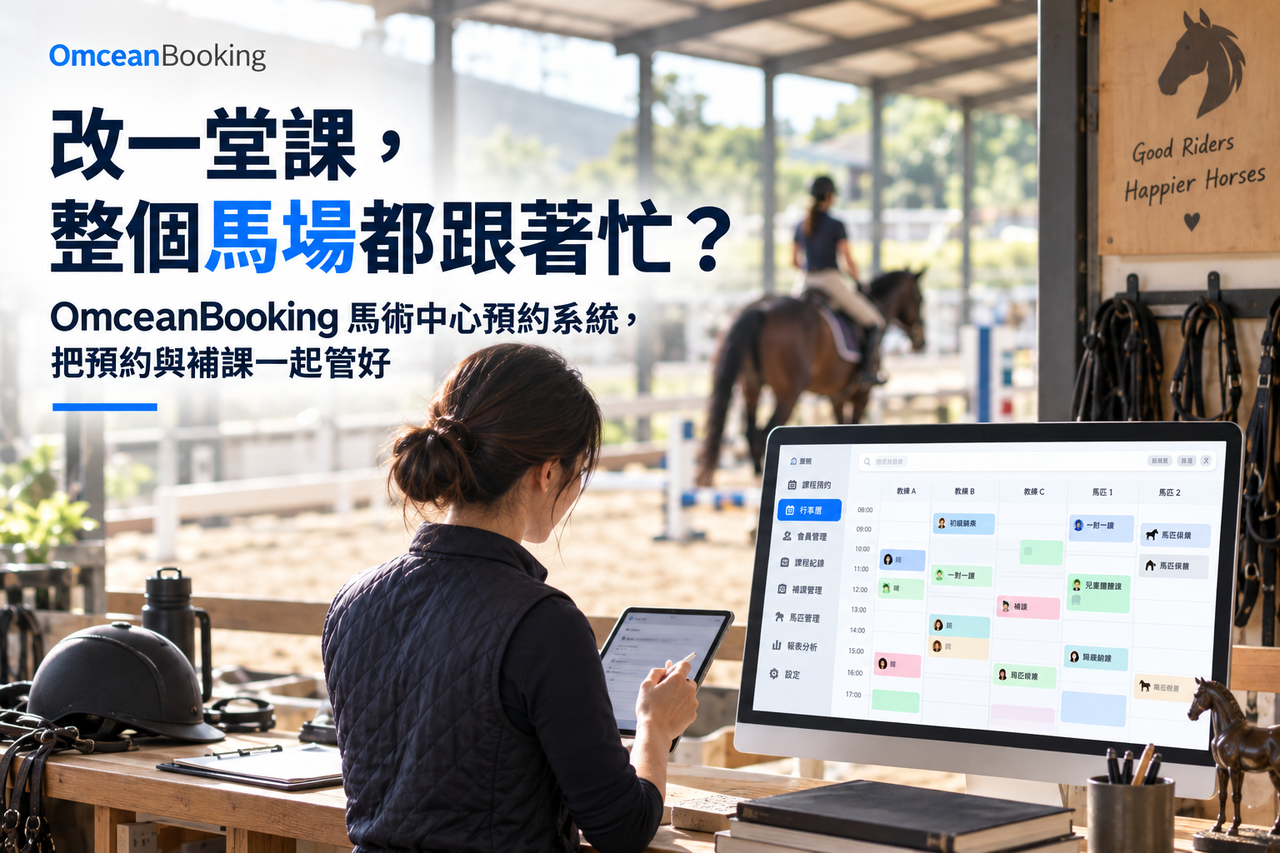
When an equestrian center reschedules a single class, it often means reconfirming the instructor, the horse, and the arena. To a parent, it's just a time slot on a calendar; to the barn, it's a full operational shift involving waitlists, horse assignments, and endless back-and-forth communication.
When bookings are scattered across an instructor's LINE messages, the front desk's calendar, and a manager's memory, every adjustment requires asking everyone all over again. While you're busy delivering highly personalized service, the administrative details start piling up.
When choosing a booking system for your equestrian center, prioritize customizable scheduling, student profiles, makeup class tracking, class passes, family bookings, and seamless instructor handovers. A solid system records all agreements clearly, allowing you to maintain premium personal service while ensuring any colleague can take over without missing a beat.
Equestrian Scheduling: Block Out Time for Horses and Instructors First
Even if an instructor is available and horses are at the barn, you still need to plan the lesson logistics.
For example, if three instructors are available for a trial class, but only two horses are suitable for beginners that day, your class capacity must be adjusted. The horses' workload, rest times, and care schedules must also be factored in.
The arena is another variable. Beginner classes, advanced training, and other activities must be scheduled according to arena rules. Instructors, horses, and spaces must be tracked together so the front desk knows exactly what can be booked when.
Manage Regular Group Classes and Private Lessons Separately
OmceanBooking offers distinct scheduling modules for recurring group classes, trial events, and 1-on-1 private lessons based on instructor availability.
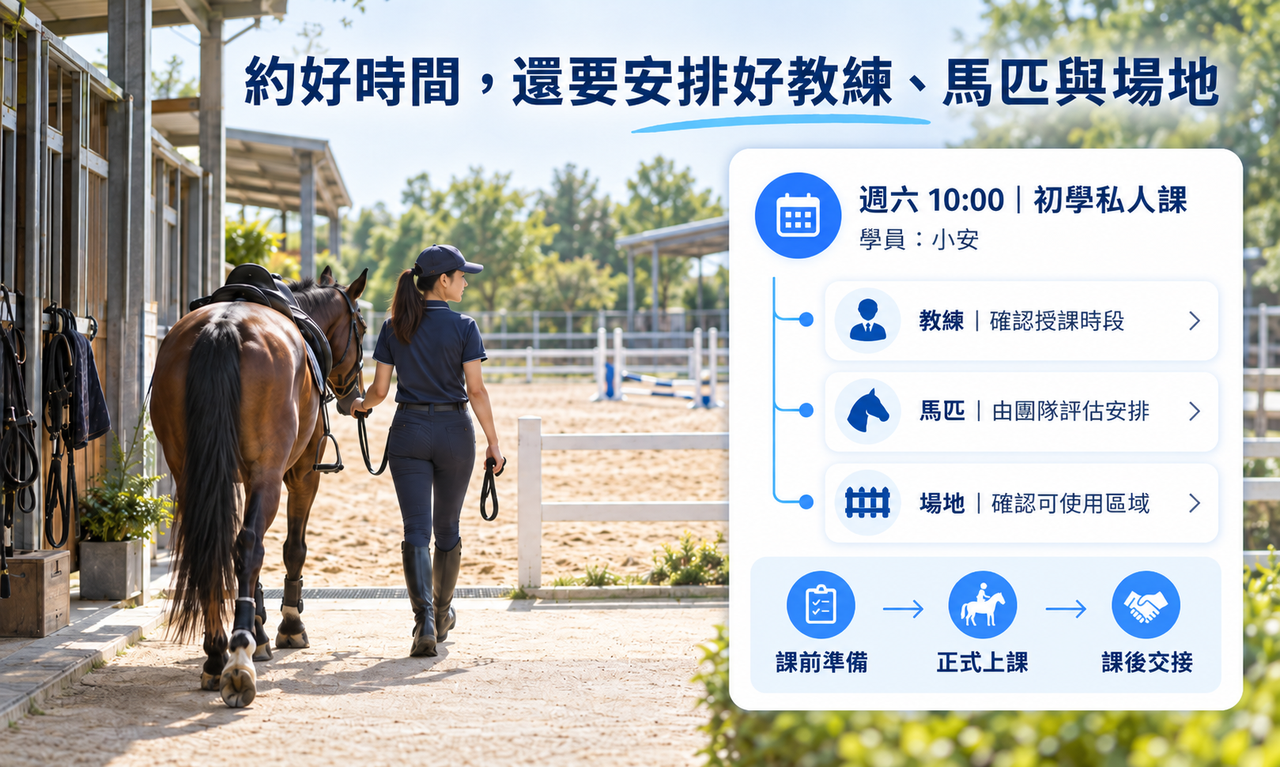
Don't forget to schedule prep and handover time. Our time-slot booking allows you to set buffer times before and after lessons, giving staff enough time to tack up, check equipment, and review the student's readiness.
Note: Horse assignments and suitability should always be managed by your professional team, integrating the horses' workloads directly into your backend management.
Student Management: Understand Needs to Exceed Expectations
If your center values personalized instruction, student profiles are worth the effort. Beyond contact info, you should track recent riding experience, goals, and expectations.
For instance, an adult might be returning to the saddle after years away, while a child might be taking their first ride. Knowing this helps the front desk pitch the right class and helps the instructor prepare.
Sometimes, students have unstated needs—like wanting the same instructor every time because they feel safe with them. Understanding these nuances makes handling substitute instructors or rescheduling much smoother.
Pre-Class Questionnaires: Match the Rider to the Ride
Using OmceanBooking's pre-class questionnaires, you can collect age, recent experience, and goals before the lesson. Always explain why you need this info so students feel comfortable sharing.
Instructors can review this data to decide if further evaluation is needed. However, the final call on riding proficiency and class placement must always be made by an instructor. Clearly explaining your placement decisions helps students understand and avoids awkward on-site reassignments.
Equipment Management: The Instructor is Free, but is the Arena?
Booking an instructor doesn't mean the lesson is ready. Is the training arena available? Is there enough gear for a trial class? If instructors book their own clients but ultimately need to share a space, the front desk is left scrambling to fit everyone in.
This is especially chaotic on weekends when private lessons, beginner groups, and trials overlap. A confirmed booking must account for staff, space, and equipment availability.
Manage Limited Resources with OmceanBooking
OmceanBooking's Equipment Management lets you create and allocate specific arenas and gear, linking them to group or private classes. If a resource is marked as "required," a customer can only book the class if that resource is available.
For an equestrian center, this means defining which arenas require exclusive use and which gear can be shared. Once set, the front desk can take bookings confidently without constantly shouting, "Wait, is the round pen still open at 3?"
(Again, horse assignments should be handled separately based on individual care and suitability.)
Manage Arena Rentals Alongside Classes
If you rent out your arenas or equipment, OmceanBooking supports independent rentals. Set rental periods, prices, open hours, and buffers so users can book a time slot without joining a class. Clear guidelines in the description ensure visitors know the rules before they arrive.
Family Bookings: Track Siblings on One Account
The older brother has a private lesson, and the younger sister is in a beginner group. Parents have to coordinate drop-offs and remember how many passes each child has left. Being able to see everything in one place saves them from hunting through separate chat histories.
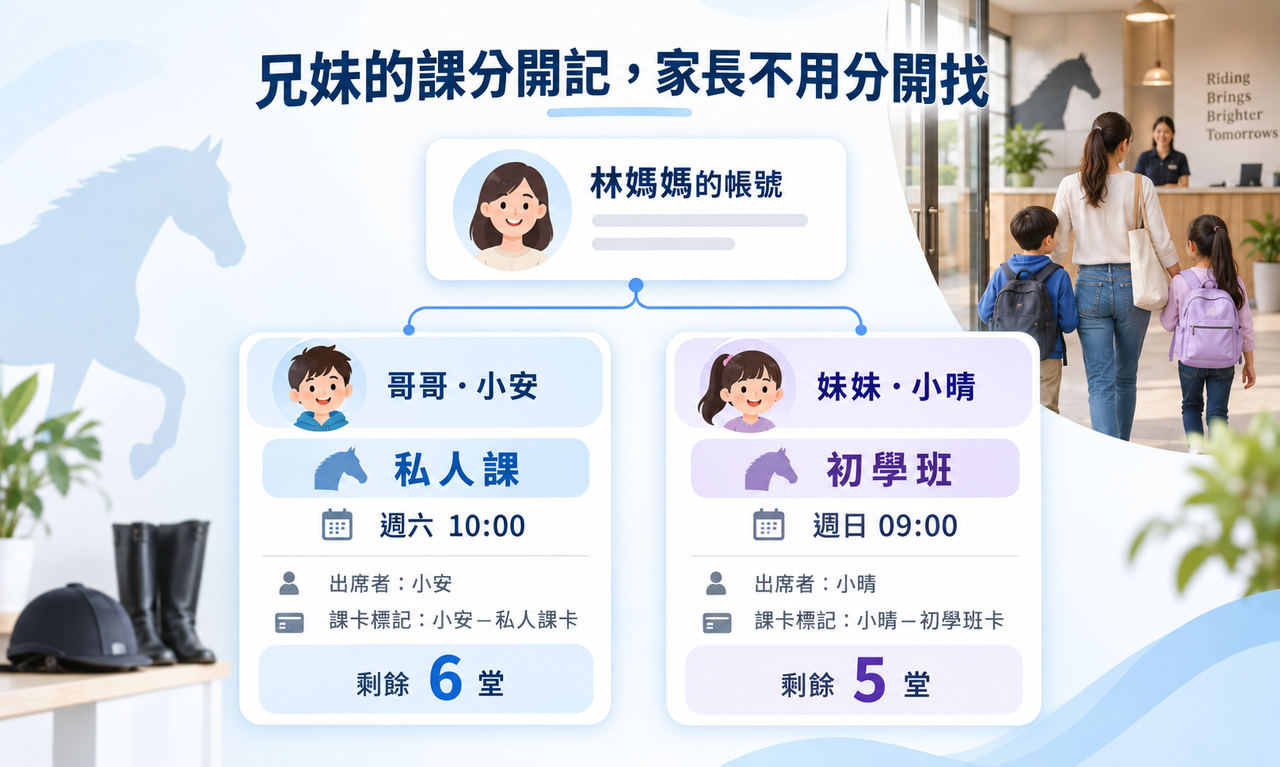
With OmceanBooking's Family feature, parents can add multiple children under one account and select the attending child for each booking. If the sister needs to reschedule, the parent and the front desk can verify her specific booking without mixing it up with her brother's schedule.
Manage Class Passes for the Whole Family
Parents always ask: "How many lessons does my son have left? Is my daughter's pass expiring?"
OmceanBooking's session and credit plans let you set different packages (e.g., a 10-private-lesson pass vs. an 8-group-lesson pass) with specific usages, expirations, and prices. Parents can check their own balances anytime.
If siblings have different passes, you can label them with their names so parents easily select the right pass when booking. You can also define upfront whether siblings can share passes, reducing confusion later.
Equestrian Booking System FAQ
What are the most important features in an equestrian booking system?
Prioritize customizable scheduling, arena/equipment management, student profiles, makeup class tracking, and family accounts. Test the system by rescheduling a private lesson to see how it handles instructors, resources, notifications, and pass deductions.
Can an equestrian booking system manage arenas and equipment?
Yes. OmceanBooking links arenas and equipment to your classes. A booking can only be completed if the required resources have open slots, preventing double-booking.
If we use a booking system, can we still offer personalized human support?
Absolutely. Students can still contact you directly for the team to log their bookings. OmceanBooking also integrates with LINE Official Accounts, offering a seamless self-booking portal without requiring an App download.
How does OmceanBooking help provide customized service?
By organizing schedules, questionnaires, passes, and records, your team can easily access confirmed details. Personalized discussions, horse assignments, and riding evaluations remain in the hands of your professionals, while the administrative tool simply supports your workflow.
Let OmceanBooking Take Care of Every Booking
Equestrian instruction takes time and trust. Students notice if you remember their preferred instructor, follow up after a missed class, or ensure a smooth handover to a substitute.
Your team already works hard to provide this level of care. By centralizing your bookings and records, daily inquiries and handovers become effortless, giving everyone more time to prepare for classes, care for the horses, and support the riders.
👉 Book a free consultation to discuss your equestrian scheduling and member services.
Was this article helpful?