What is APP Advanced Notifications?
After enabling the "APP Advanced Notifications" in the custom features, the store can independently configure the content of notifications that app users will receive on their mobile phones and tablets, as well as the timing conditions for sending notifications.


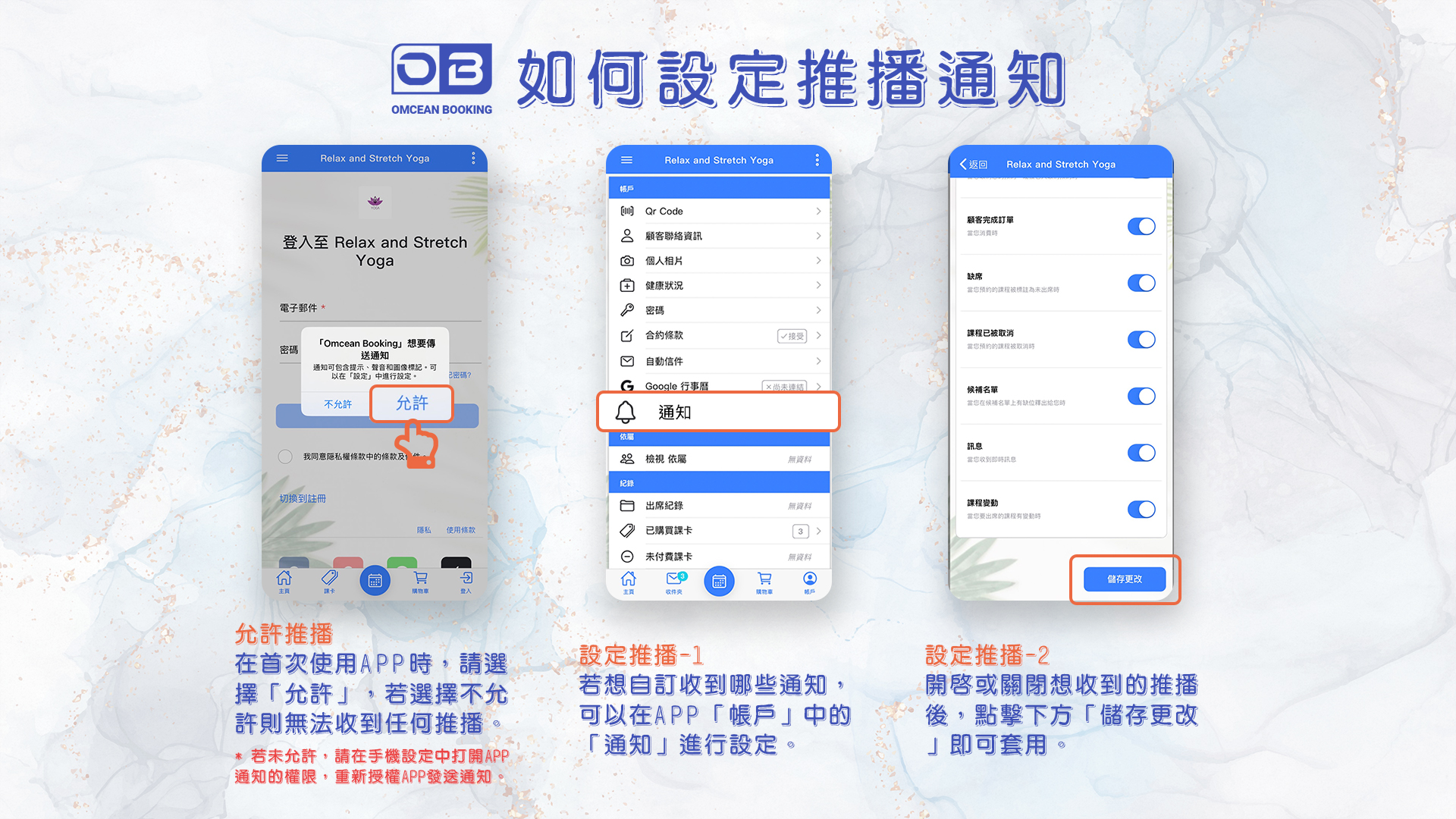
Individual Push Notification Setting
*The settings for personal notifications under "Account" are only visible in the mobile or tablet app.
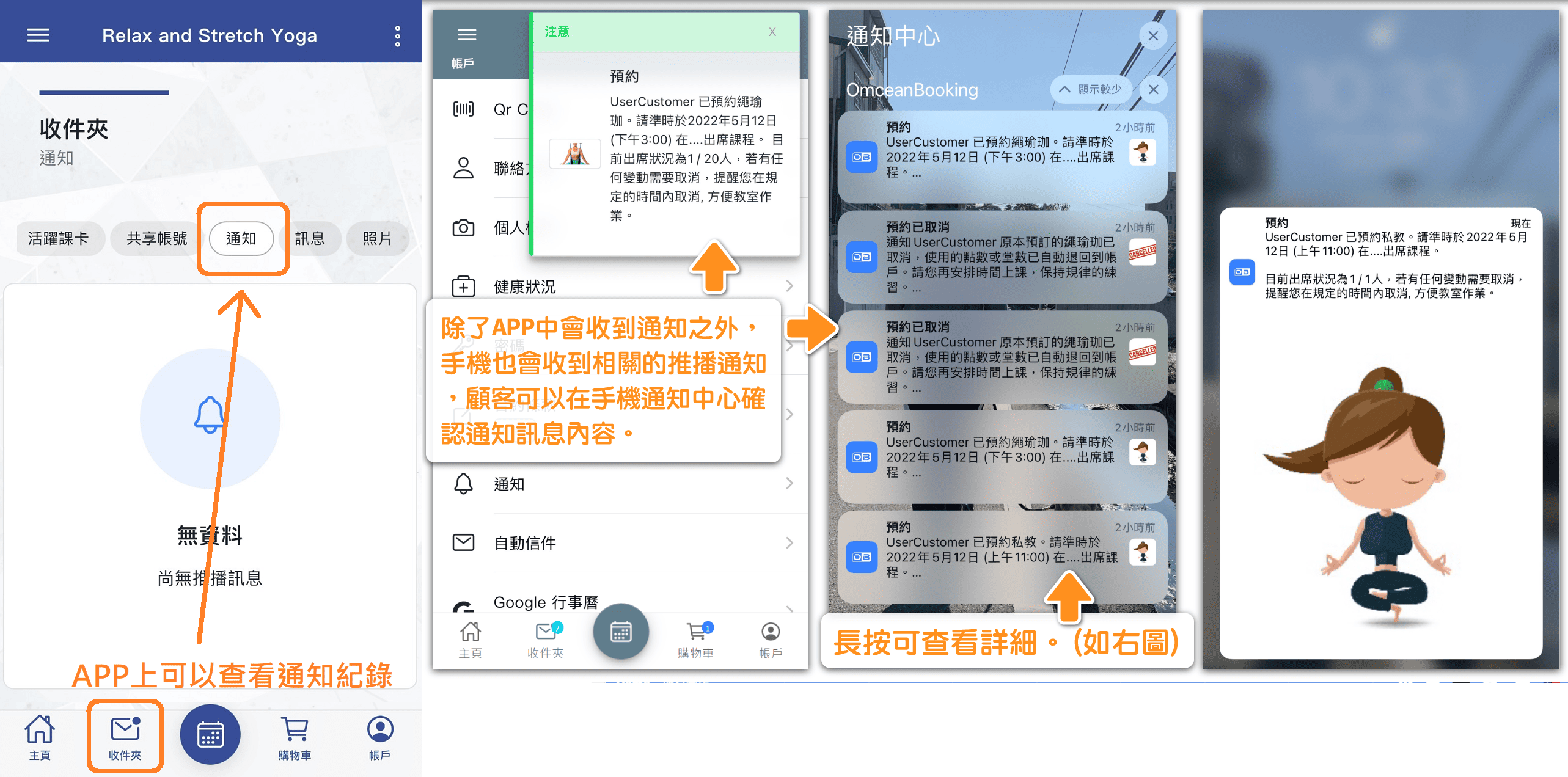
Where customer checks notification history:
Send Test Notification
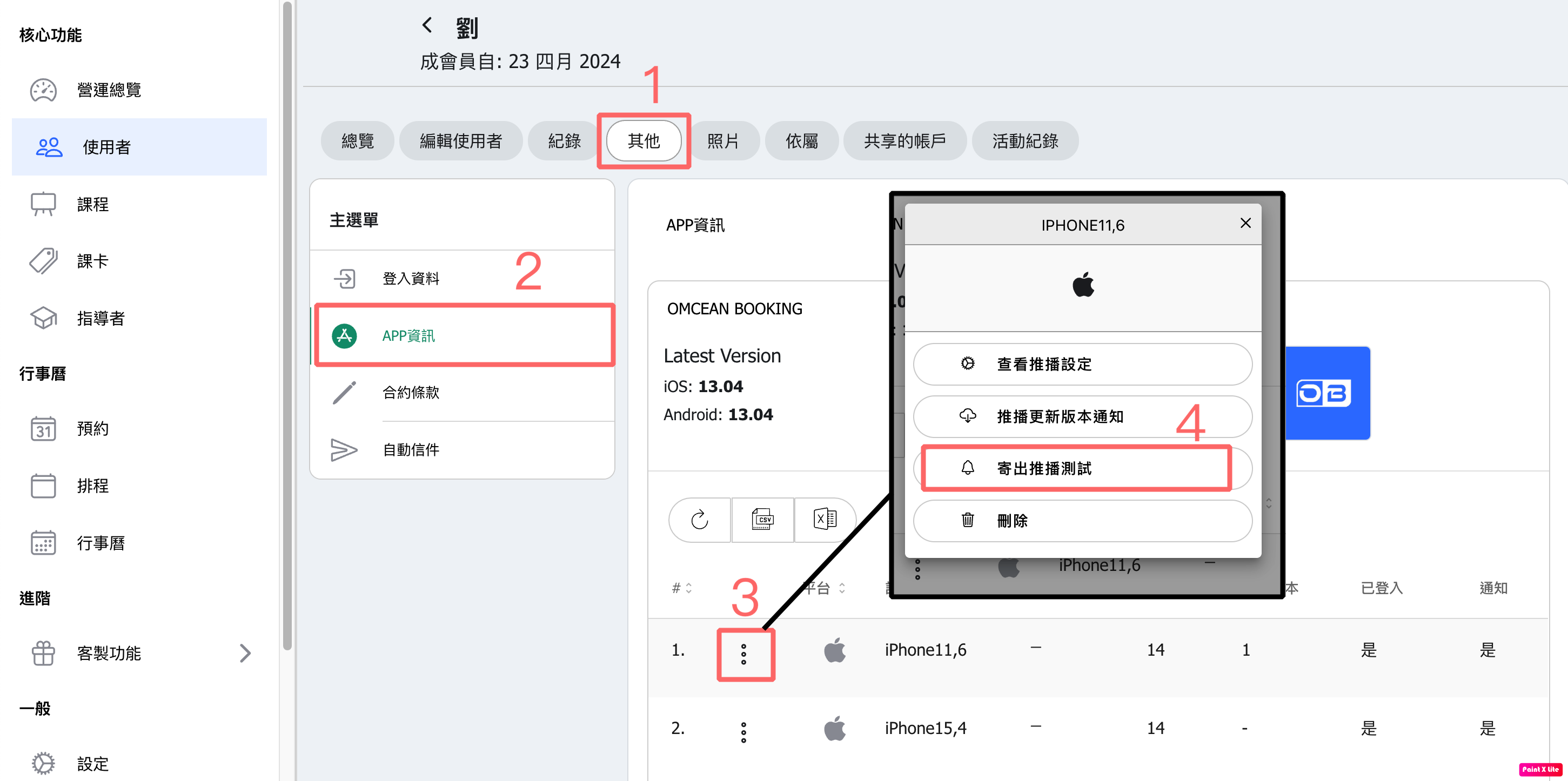
In User Edit ⭢ Extra ⭢ App Information, you can find the devices where the customer has logged in.
Click on the three dots menu to access the button SEND TEST NOTIFICATION.
After sending the test, go to the APP Notification History to confirm whether this account has received the notification on that device.
If no device appears under App Information, it means that this account has no record of downloading and logging in to the app.
[Instructions]
Click the “Others” tab.
Select “App Info.”
Click the three dots on the device information.
Select “Send Push Notification Test.”
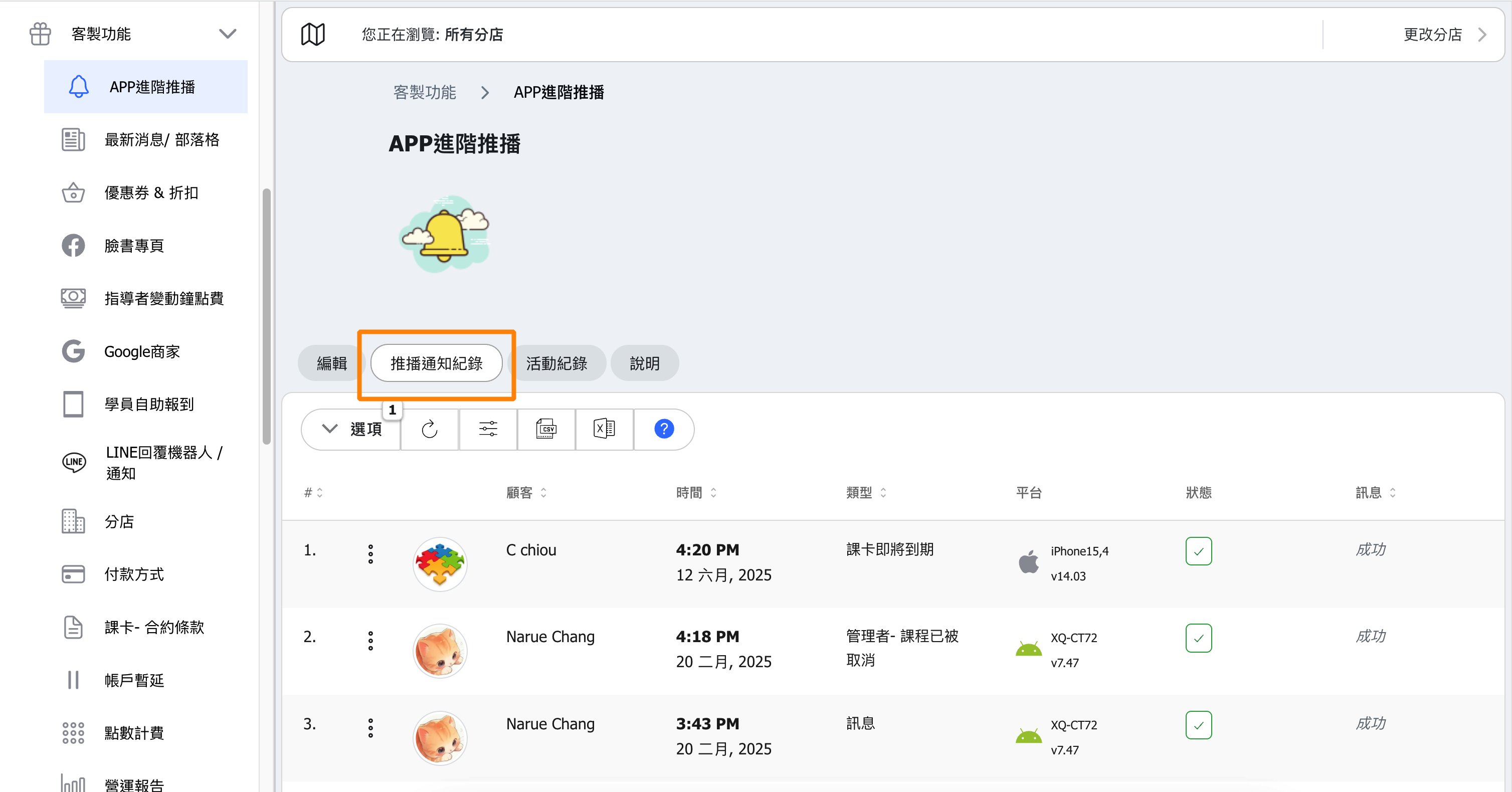
APP Notification History
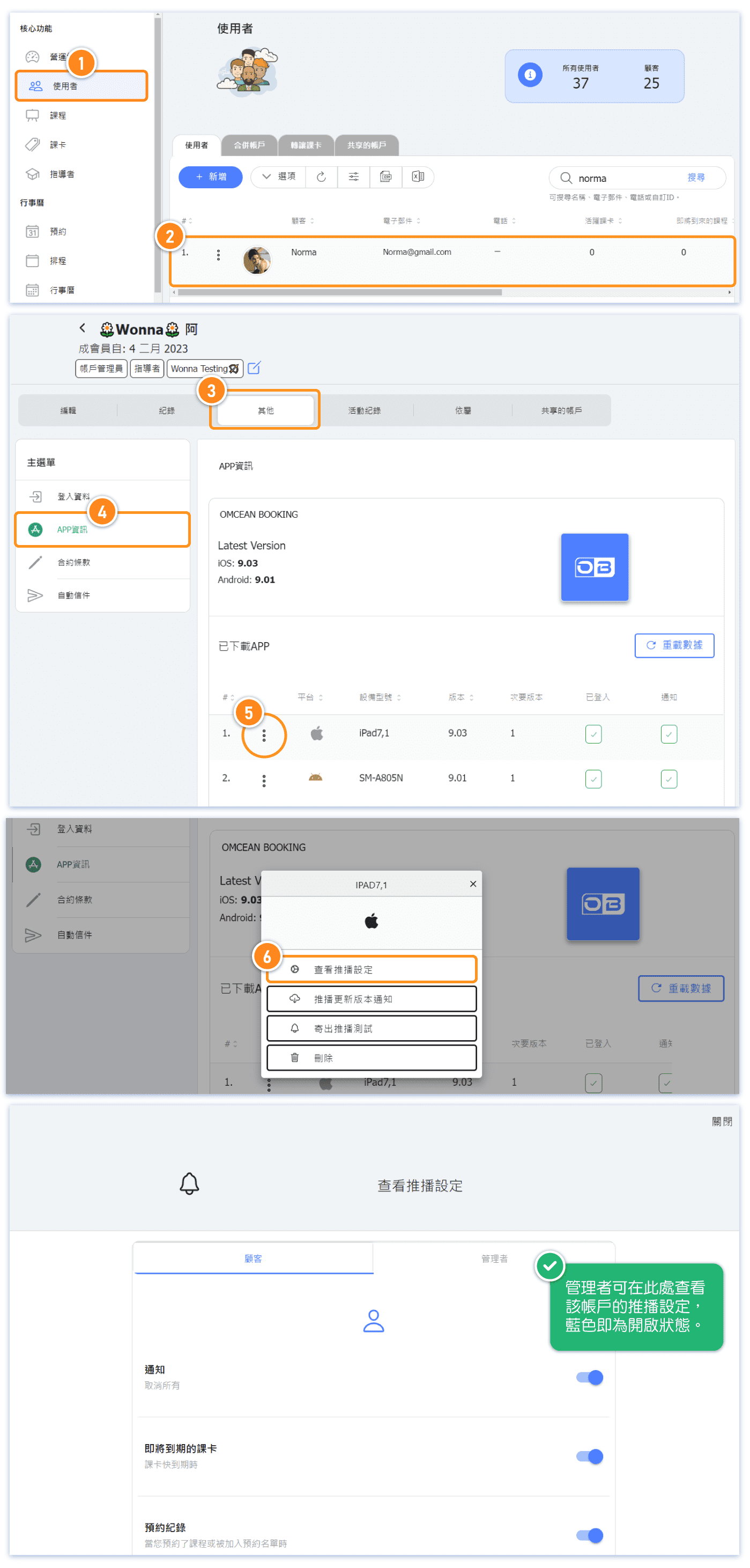
FAQ1: How to View Customer's Push Notification Settings?
[Instructions]
-
Click “Users” in the left sidebar.
-
Select a user.
-
Click “Others.”
-
Select “App Info.”
-
Click the three dots on the left of the device information.
-
Select “View Push Notification Settings.”
FAQ2 : Why does the notification status still show "No" even though I’ve logged in to the app?
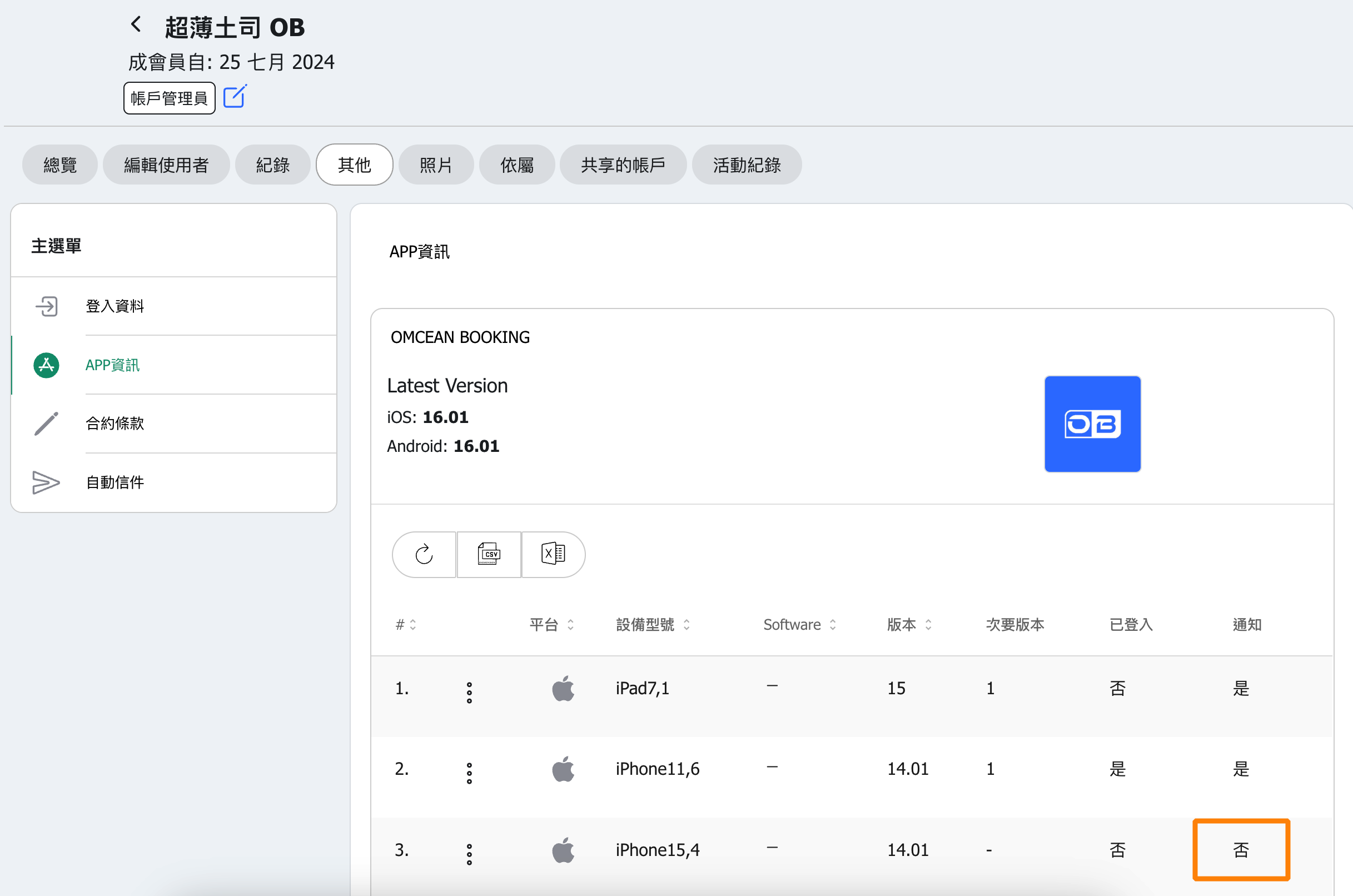
This issue is usually caused by the device’s settings.
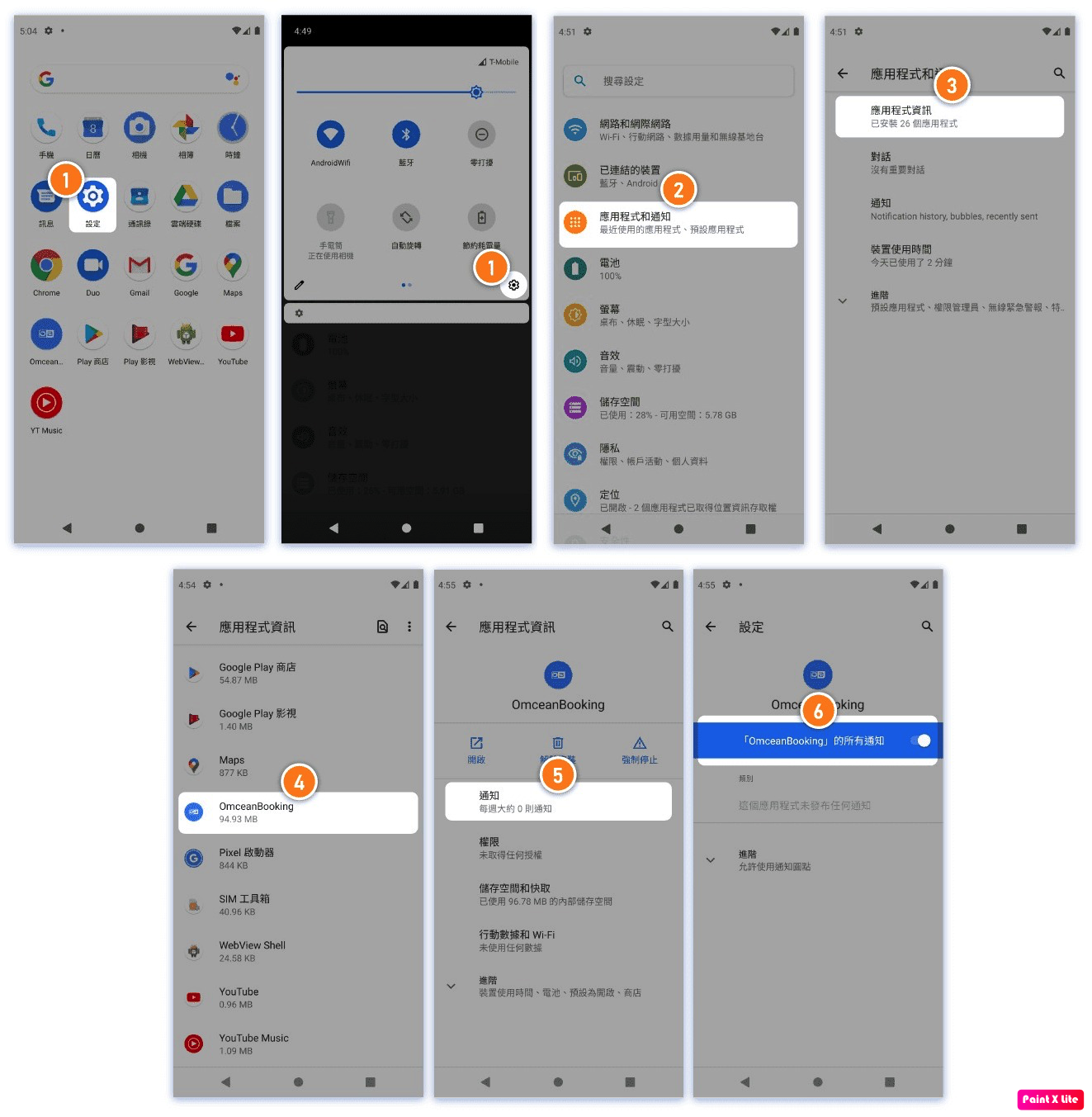
Please go to the Settings on the customer’s phone or tablet and check whether the notification settings for the app are enabled.
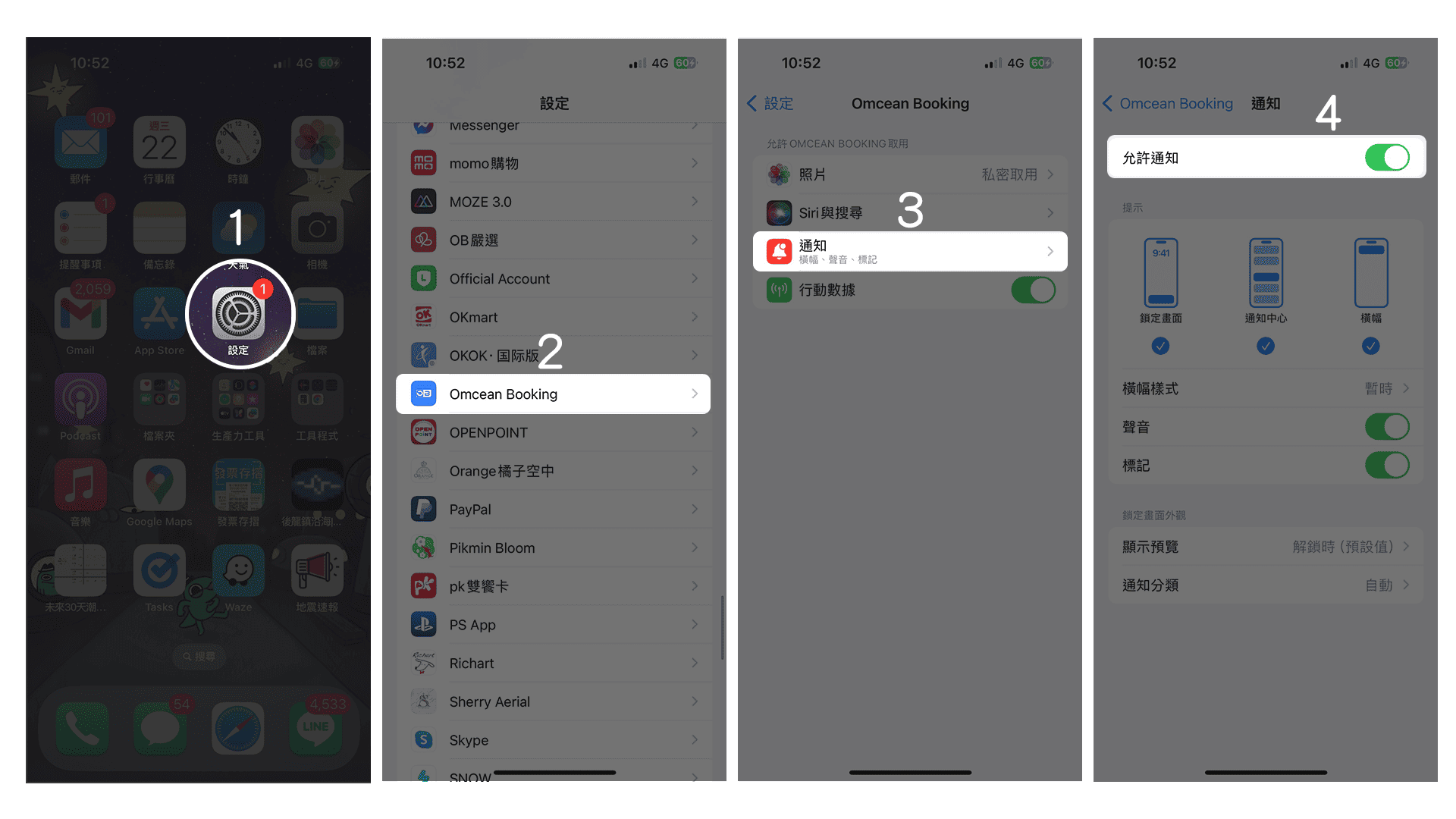
Here is an example:
Apple (iOS)
[Instructions]
-
Tap “Settings.”
-
Select “Omcean Booking.”
-
Tap “Notifications.”
-
Enable “Allow Notifications.”
Android
[Instructions]
-
Tap “Settings.”
-
Select “Apps & Notifications.”
-
Tap “App Info.”
-
Select “Omcean Booking.”
-
Tap “Notifications.”
-
Enable “Allow All Notifications.”