What is API?

Think of your data as being stored in a locked room.
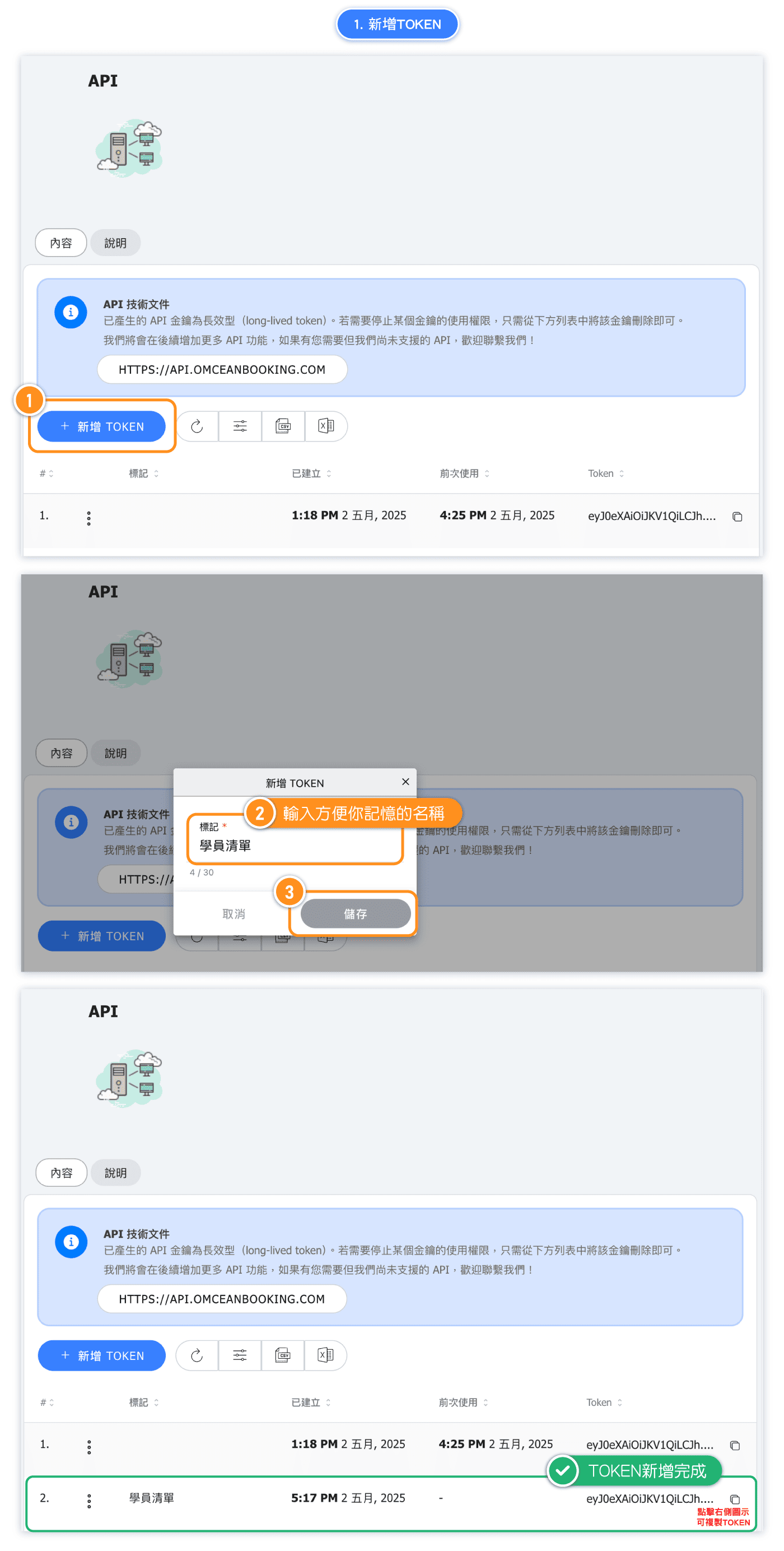
When you create a token, it's like making a unique key that can unlock that room and let you see what's inside.
If someone from another system wants to access your data, their engineers need to build a hallway (write some code) that leads to your room — and they’ll also need that unique key.
Without both the hallway and the key, they can’t get in or take anything.

(Example) Step 1: Create an API token.
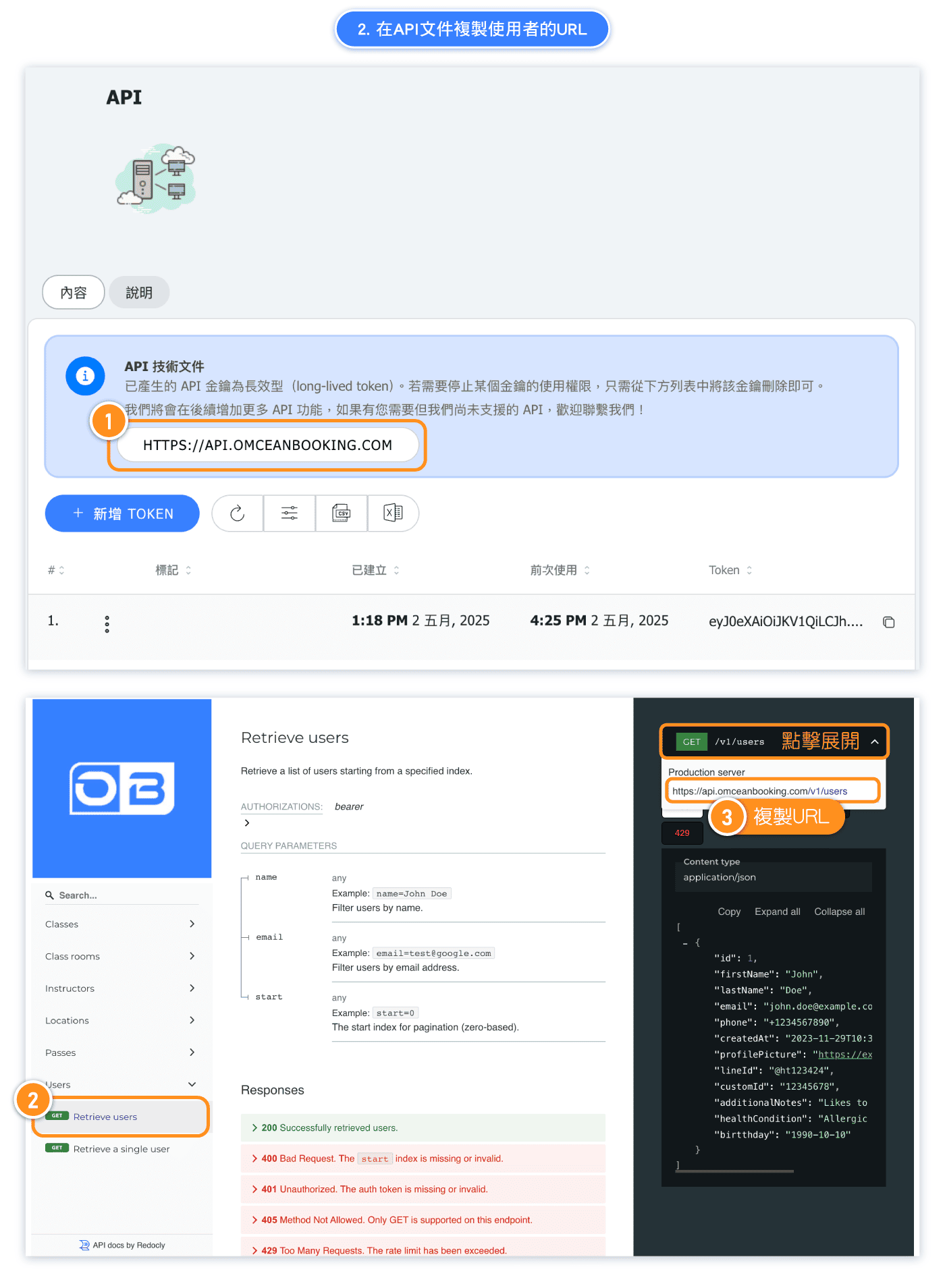
(Example) Step 2: Copy url from API Documentation
Open API Documentation and find copy one you want to get.
(For example we want to get user data, we need to copy the url in 'Retrieve users' section)
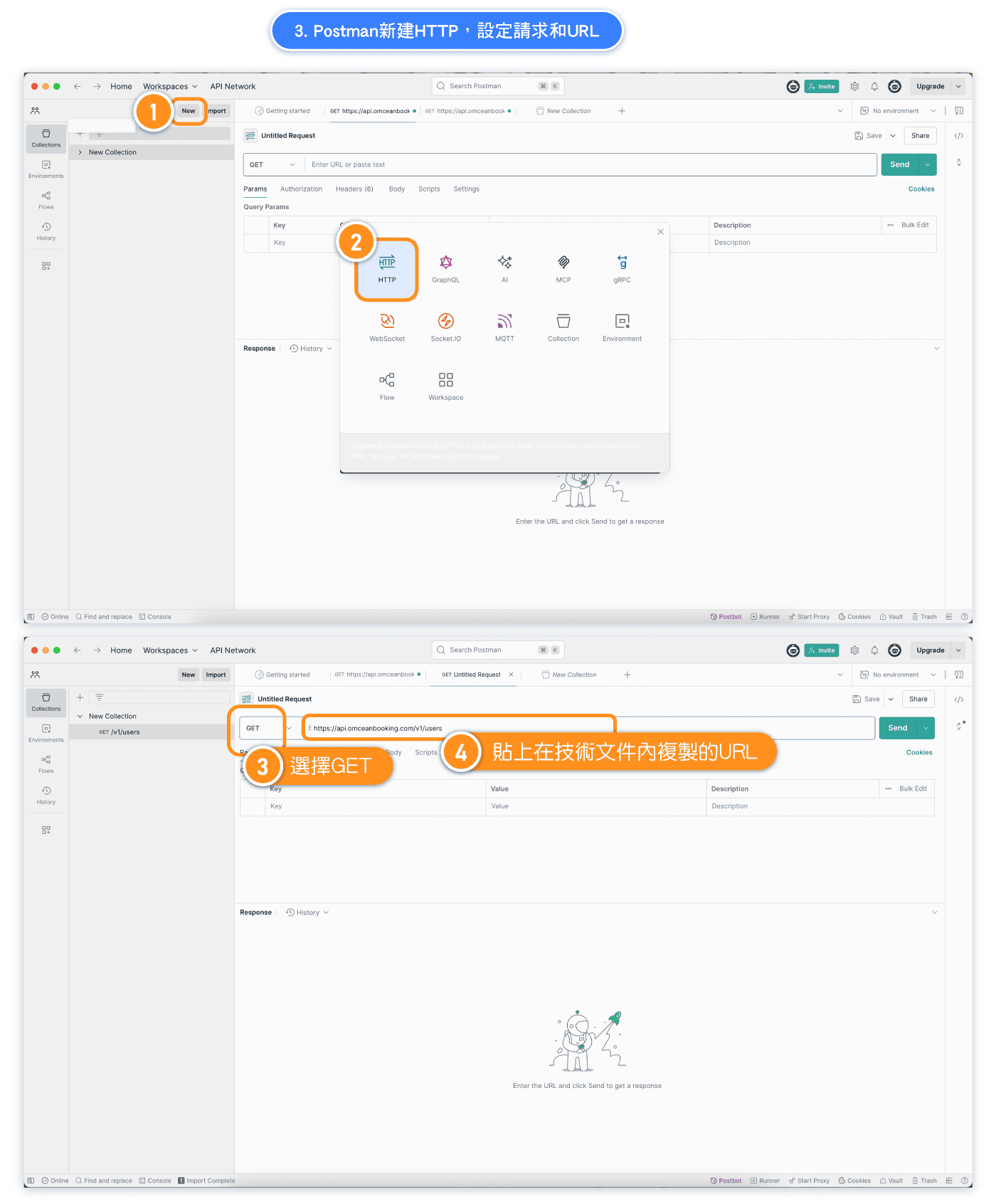
(Example) Step 3: Paste the URL to your API software
Open up Postman or an API software of your choice (we'll be using Postman in our examples).
Add new HTTP, choose GET, paste URL you copied from API Documentation.
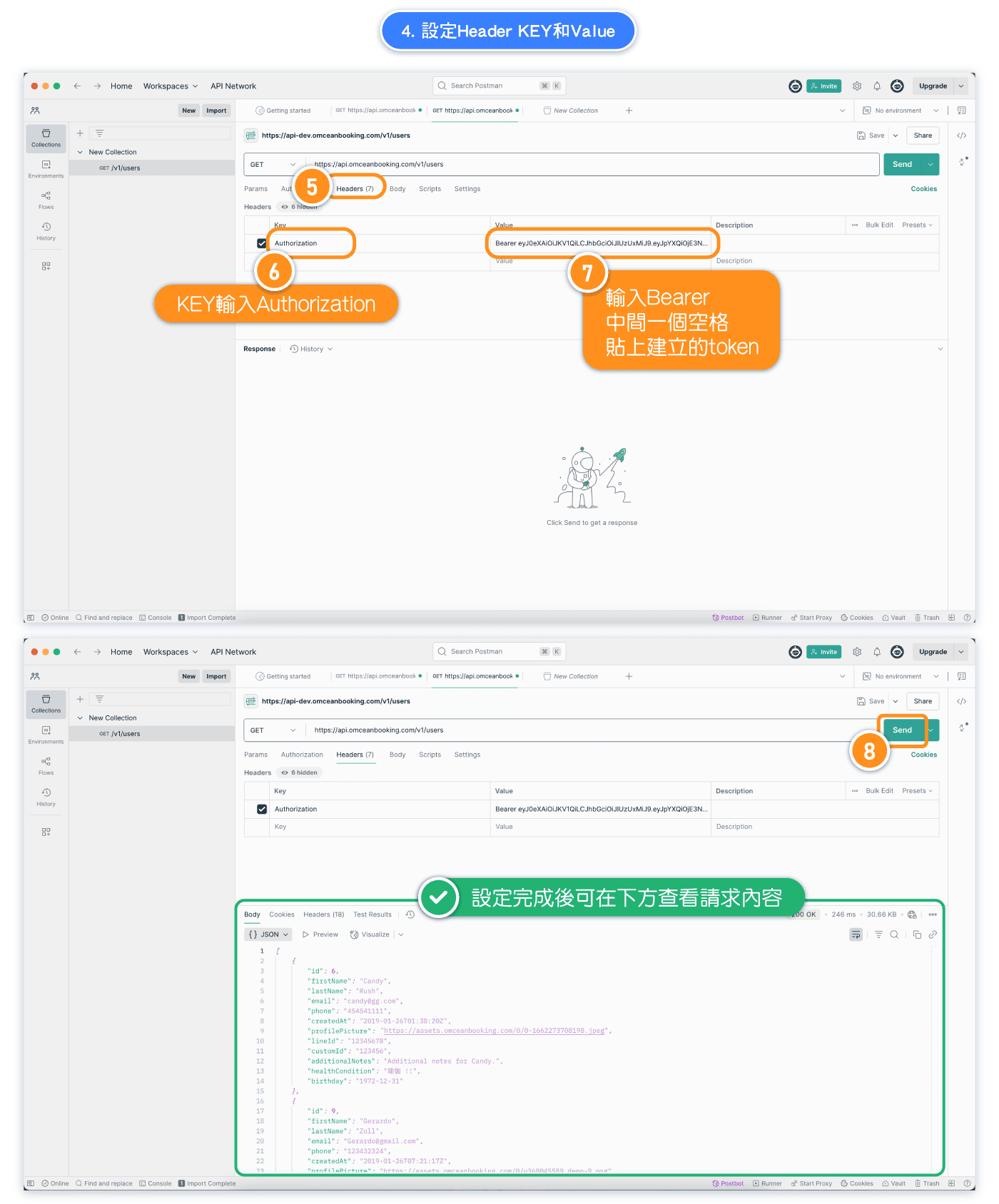
(Example) Step 4: Set up Headers and click send
Add the 'Authorization' header and copy the token into the value as format 'Bearer + token'.
Click "send", response will be displaying.