Introduction
Easily add passes to multiple user accounts in one go—saving you time and effort! ☺️
⚠️ Please note: The bulk add pass function does not update unpaid bookings automatically.
If a user has any unpaid bookings, the newly added pass will not be applied automatically. After finishing the bulk add, please go to the customer’s account or Operations Overview > Unpaid Bookings to manually link the course card to the correct booking.
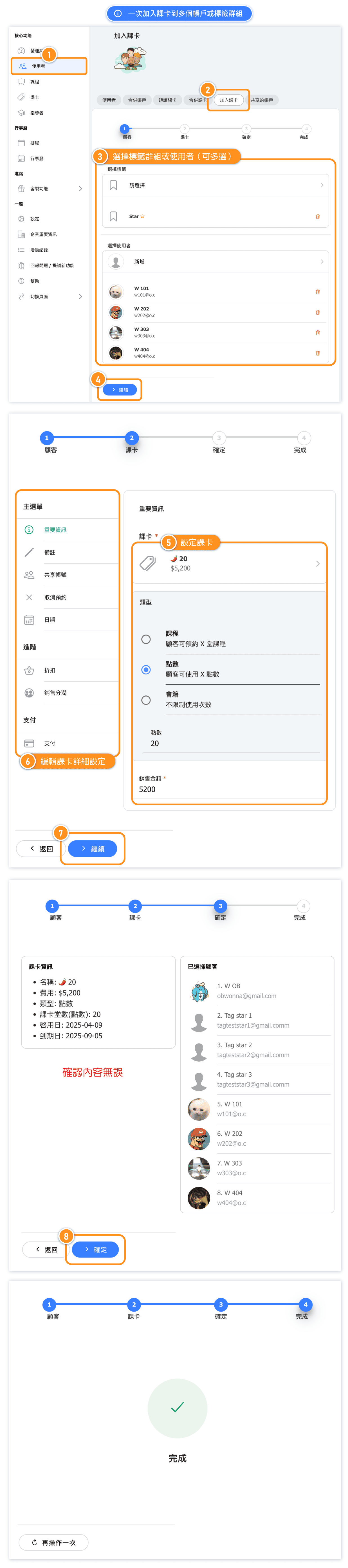
Add a pass to Multiple Accounts or Tag Groups at Once
[Instructions]
-
Click “Users” in the left sidebar.
-
Select the “Add Course Card” tab.
-
Choose the target users (multiple selections allowed).
-
Click “Continue.”
-
Configure the course card.
-
Edit the course card details.
-
Click “Continue.”
-
Click “Confirm.”
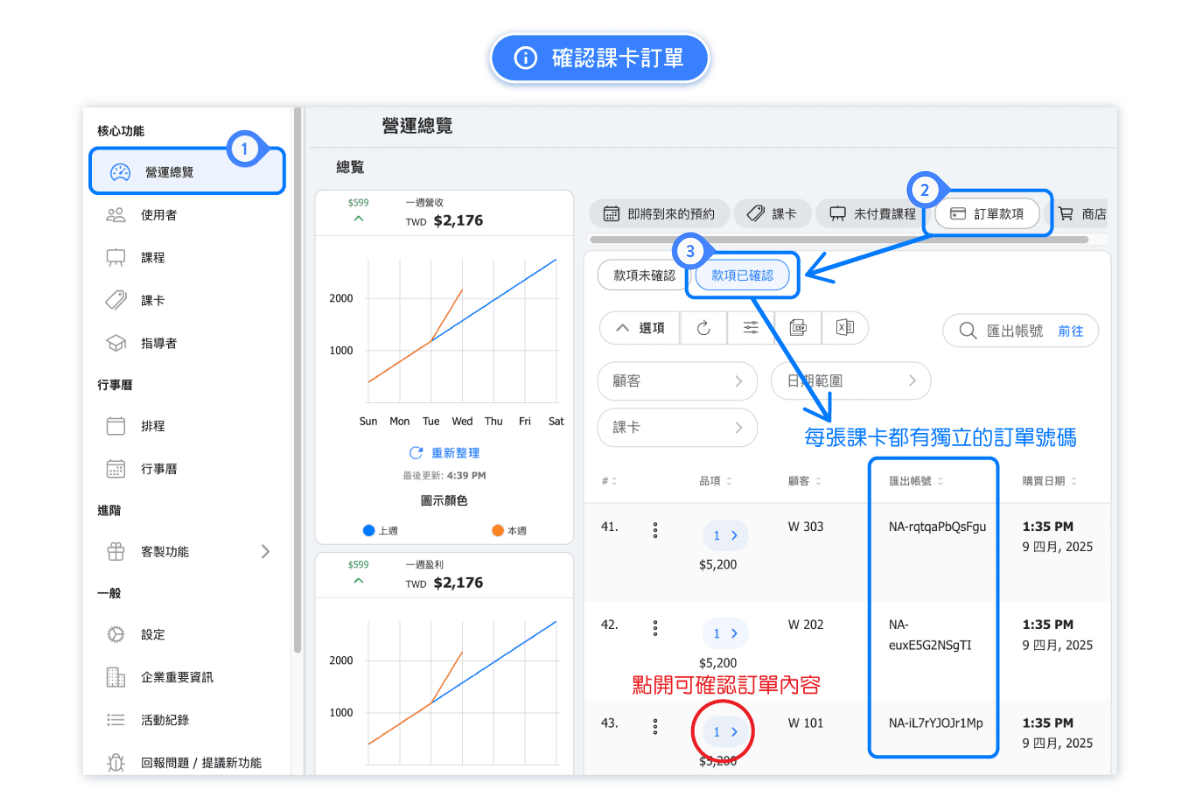
Check Pass Purchase Info
[Instructions]
-
Click “Operations Overview” in the left sidebar.
-
Select the “Order Payments” tab.
-
Click “Confirmed Payments” to view all confirmed orders.