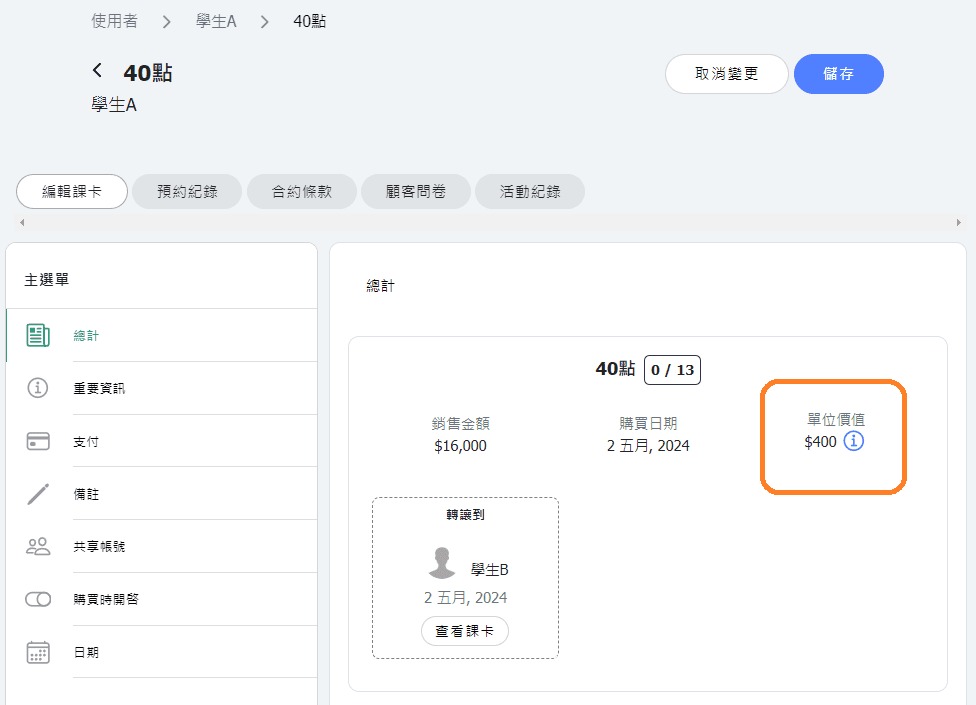
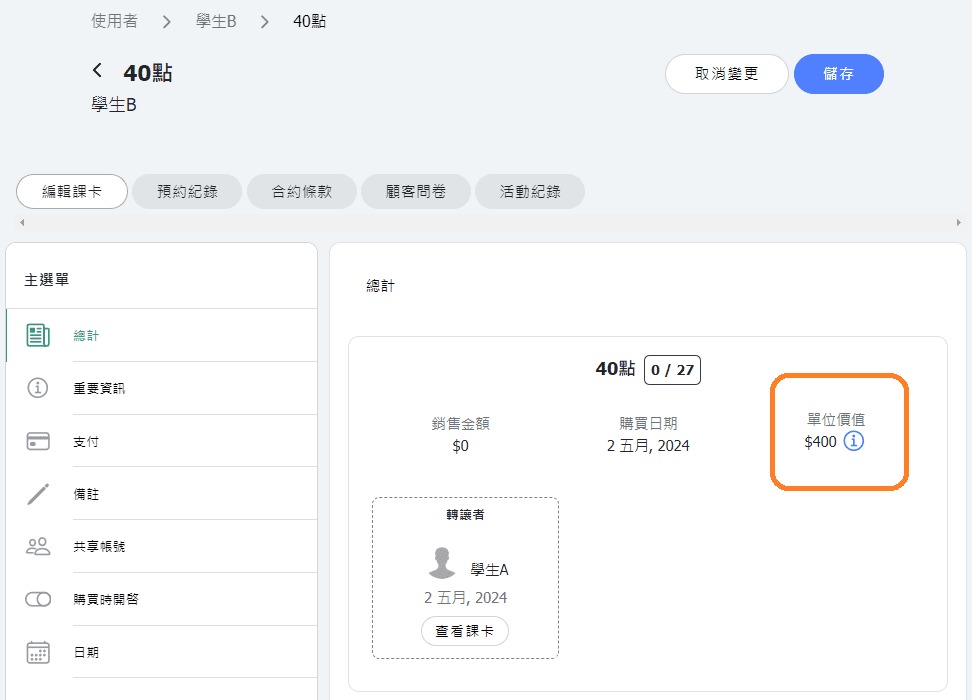
In what situations would it be appropriate to use Transfer Pass feature?
Appropriate scenario for using Transfer Pass:
When student A purchases a pass and needs to transfer all (or a portion) of the remaining classes/points to student B, while you need to retain the original sales price of the pass on A's account. During the transfer pass process, there's no need to manually adjust the pass sales price. The "unit value" of the both pass remains the same. In this case, student B receives the pass with a sales price of 0. This scenario is suitable for using Transfer Pass feature.
Inappropriate scenario for using Transfer Pass:
If you need to allocate the pass sales amount separately to different individuals, meaning these passes are treated as independent entities and won't affect the original pass after transfering, you'll need to use the "ADD PASS" feature to split a pass.
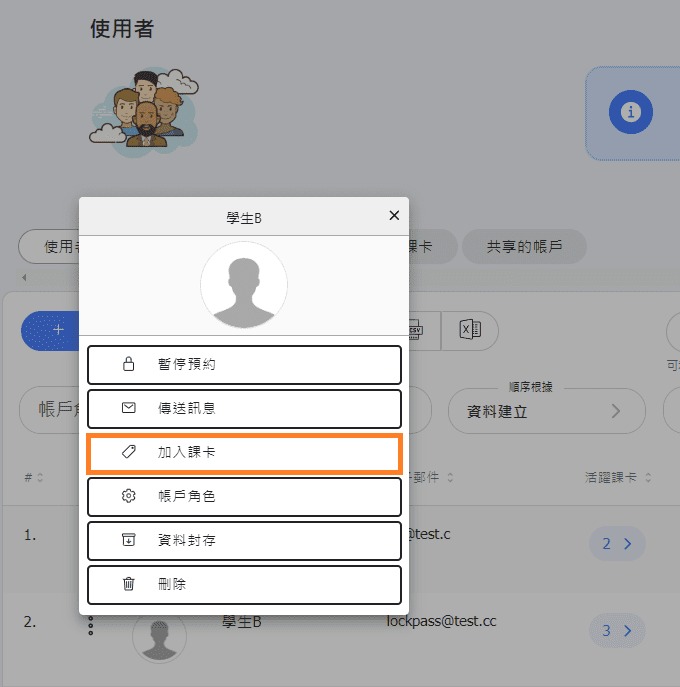
How to use Transfer Pass Feature
When transferring passes, please enter the number of classes/points you wish to transfer and the expiration date of the pass. During the transfer process, there's no need to manually adjust the pass sales price; the system will automatically calculate the total amount based on the transferred number of classes/points using the average ratio.
* Please note: After a transfer, the passes involved in the transfer can no longer have their sales amount or class (point) count manually adjusted.
In the 'Pass Sales' report, the transferred pass sales price will be recorded under the giver's name. In the 'Class Attendance' report, whether it's the giver or the receiver attending the class, the system will automatically calculate the corresponding class revenue by pass "unit value".
For example, if Mimi purchased a 10-classes pass with $ 4,000 on January 1st and used 5 classes in January. Then, on February 1st, she transferred the remaining 5 classes to Lily. The 'Pass Sales' report for January will show that Mimi purchased a 10-classes pass for $ 4,000, and the 'Class Attendance' report for January will show that Mimi consumed $ 2,000 worth of classes. The 'Class Attendance' report for February will show that Lily consumed $ 2,000 worth of classes.
Example of how to use transfer pass feature

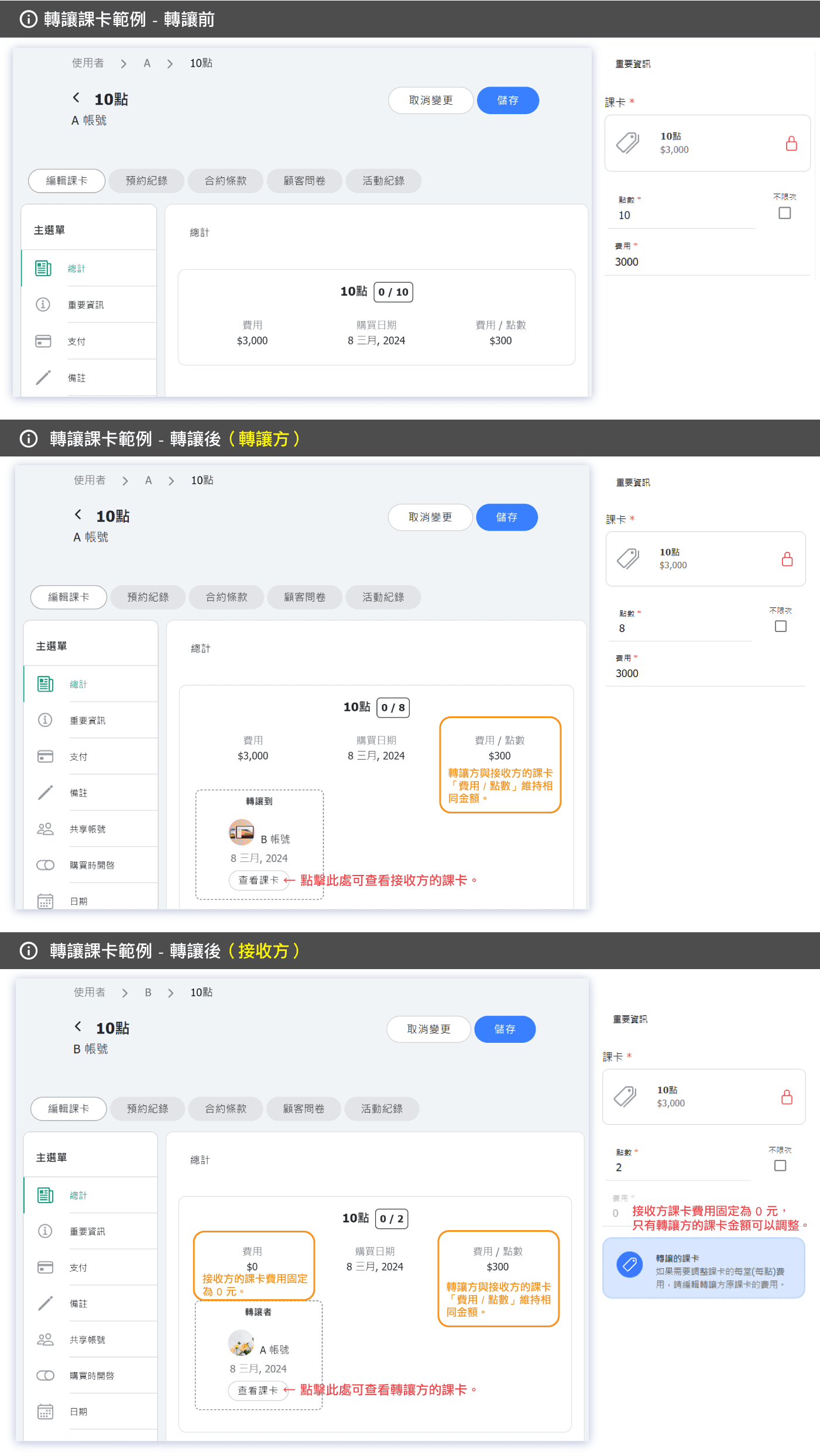
How is the "unit value" of a transferred class pass calculated?
🔸 Non-transfer pass:
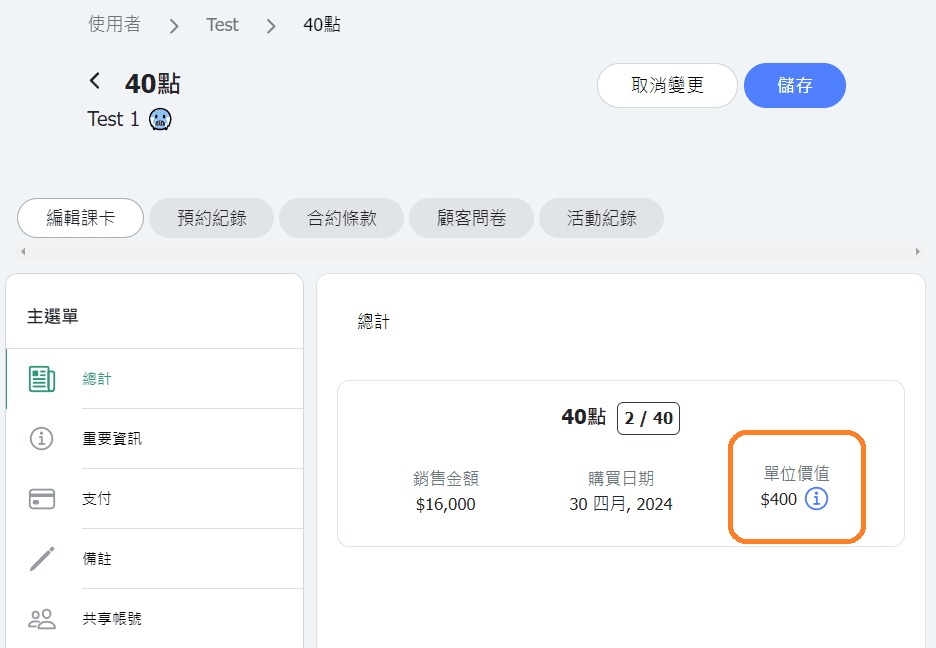
Unit value of the pass = Sales price of pass ÷ Points.
【Example】If the pass sales price is $ 16,000 and there are a total of 40 points, then the unit value is calculated as $ 16,000 ÷ 40 = $ 400.
🔸 Transferred passes:
Unit value of the pass = Sales price of the transferor's pass ÷ (Points retained by the transferor + All points transferred to the recipient).
【Example】If student A holds a pass with a sales price of $ 16,000 and a total of 40 points:
Student A keeps 13 points and transfers 27 points to student B. In this case, the unit value for both students is calculated as $ 16,000 ÷ (13 + 27) = $ 400.