
Problem Reporting Tips
Dear Customer,
📢 If you encounter urgent issues such as system reservation failure, payment failure, or data storage issues, please go to the "Bug/ New Features" section on the left side of the system backend and provide complete information about the issue. Our OB technical team will handle it promptly.
We understand that you are experiencing difficulties with the system operation and seek immediate assistance.
If you can provide "complete clues" at the first time, we can assist you in solving the problem more quickly. Therefore, we provide the following "💡 Problem Reporting Tips" to help you provide us with complete clues, enabling our team to assist you in overcoming obstacles as quickly as possible.😀
⏰ Engineering Department Response Hours: Monday to Friday - 8:00 AM to 5:00 PM
※You can also submit your questions at any time outside of office hours, and the system engineering department will process them as soon as they reference the serial number during office hours.
📄 Reporting Methods for System Abnormalities or Emergency Situations |
※Click on the text in the table above to jump to the corresponding explanatory image.
💡 Tips for Bugs Reporting 💡
😊We can use the following 4W1H to remind ourselves of any missing
5W1H | information | Example |
Who | Please specify whether you encountered the issue using an administrator, instructor, or customer account, and provide the email address or full name associated with that account. | Instructor Annie Chu. |
Where | Please indicate whether you encountered the issue on the app or website, and specify which page the problem occurred on. | In the app, in the instructor's calendar page, when trying to add a new class. |
When | Time of issue | 5/16 03:00PM. |
What | Please describe the sequence of events leading up to the problem. | add a new "Aerial Yoga" class, there was an error upon saving, and the class did not appear in the calendar after pressing save. |
How | When describing the issue, please ensure to provide any relevant context regarding what triggered the problem. | The save button did not respond when clicked. |
💡 We suggest providing screenshots or videos of the relevant obstacles or issues as this can help us assist you more efficiently in troubleshooting and resolving the problem.
Ways to Report Bugs in the System

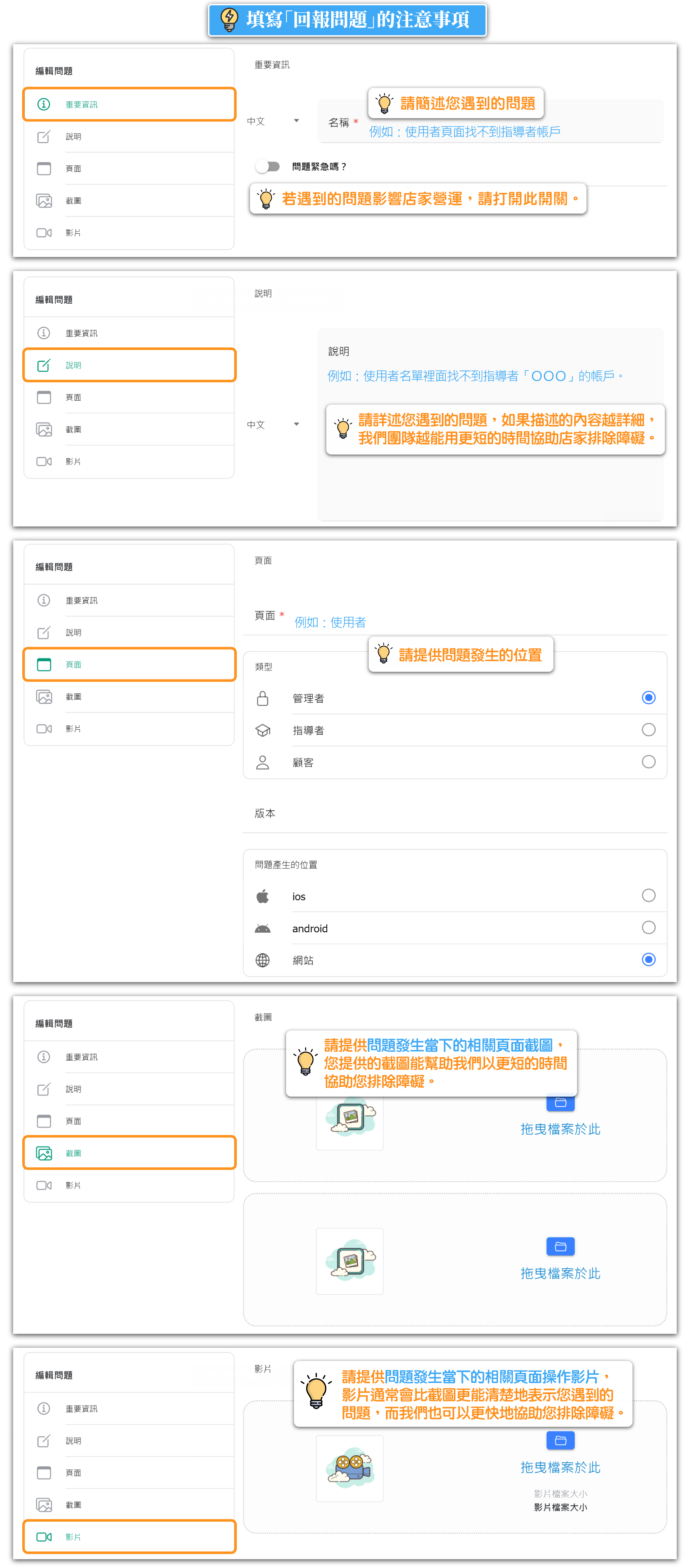
🔔 Note: Providing complete information can help to resolve issues more quickly. When you provide relevant screenshots or operational videos of the issue as it occurred, it typically helps us assess more efficiently and assist you in resolving the problem or overcoming obstacles.
Reporting System Abnormalities or Emergency Situations



