Shared Accounts
🔷Shared Accounts🔷
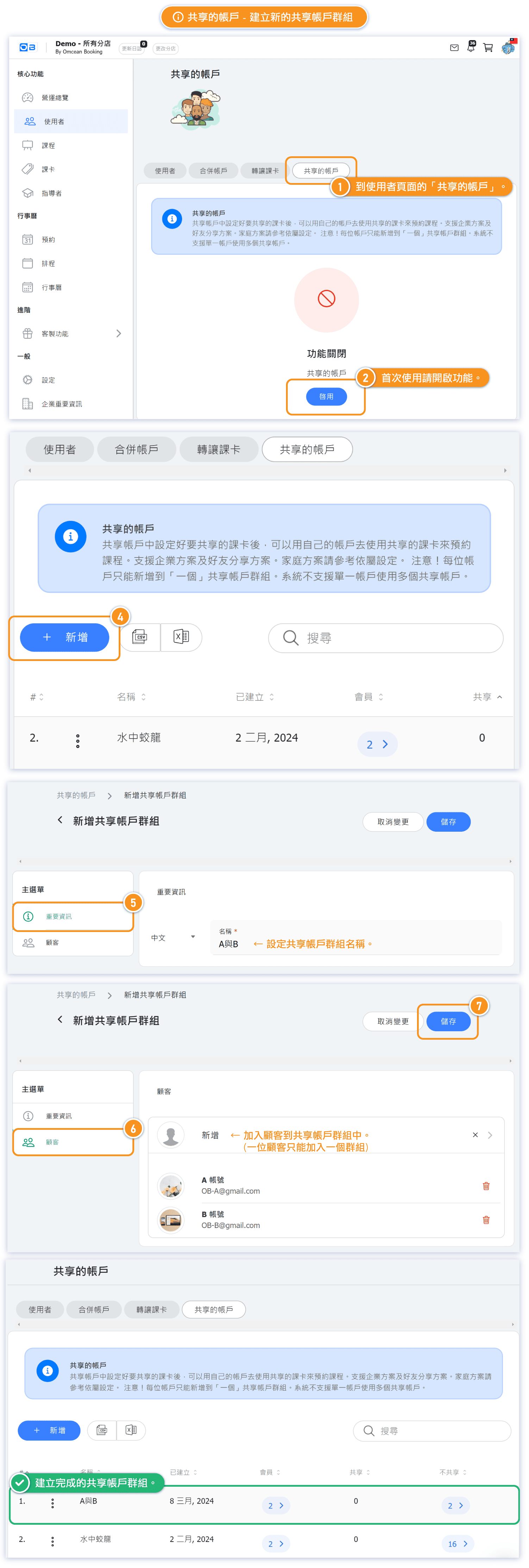
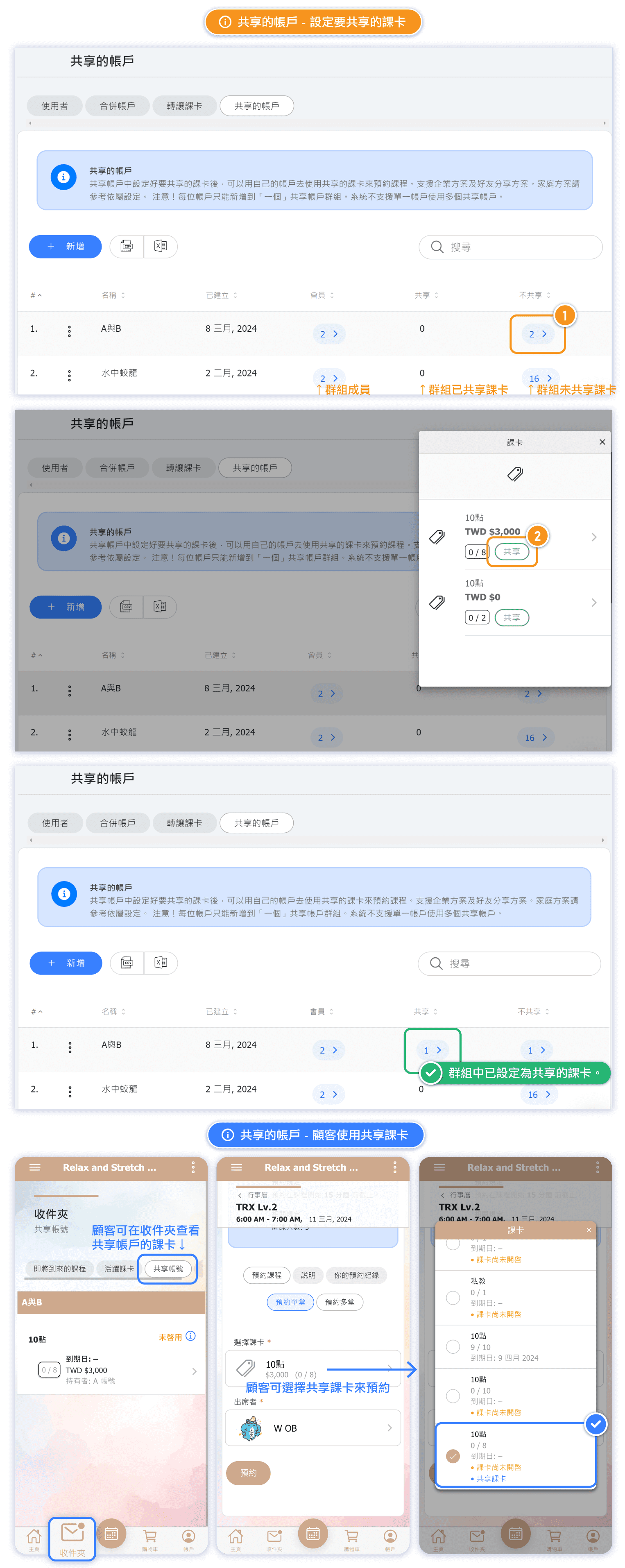
Feature: This feature allows customers to jointly use the same pass for reservations while using different accounts. For example, customers may wish to share a pass with friends or collectively purchase a pass with family members for shared use.
Add two or more customers to a shared account group, then specify which passes within that group are to be shared or not shared.
Applicable scenarios:
- When a customer wishes to share a purchased pass with their friends
- When a customer collaborates with their relatives or friends to purchase a pass for collective use.
❗❗ Warning! Each account can only be added to a single shared account.❗❗
⚠ Note: The system does not support individual pass sharing settings when a single account exists in multiple shared accounts.