When would the "rollover pass" feature be used?
When a customer holds two passes and wants the admin to help rollover the balance of one pass to the other pass, but the admin wants to keep the sales prices of both passes unchanged, they can use the "Rollover Pass" feature on the user page to combine the remaining classes or points and the pass value of one pass into the other.
If you wish to merge the sales price of the pass along with the points into another pass, you can manually adjust the points and sales amount of both passes.
How to use "Rollover Pass" feature?
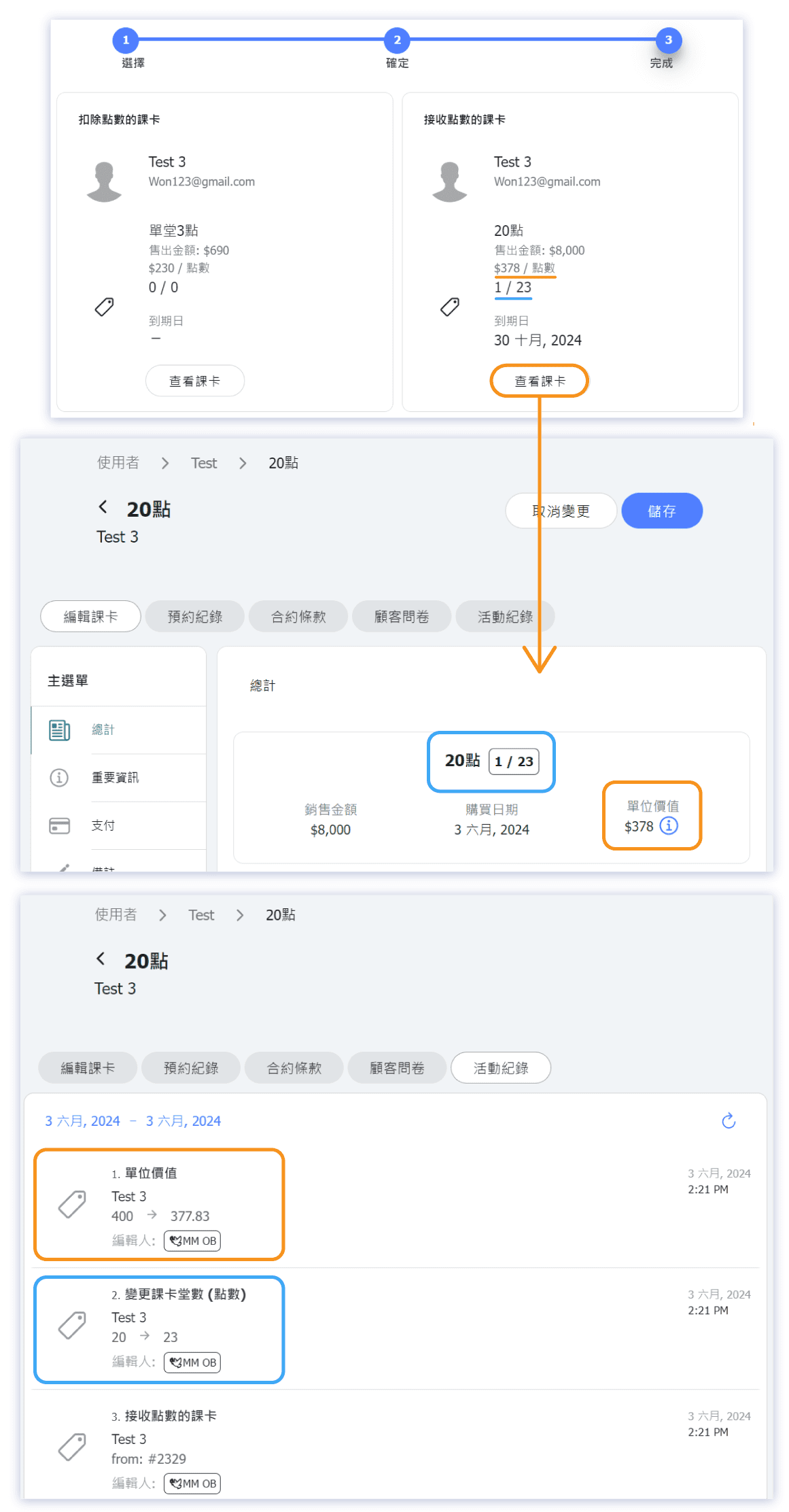
For example, if Mimi purchased a "3 Points" pass for $ 690, each point is valued at $ 230 (unit vaule = $230).
Later, she bought another "20 Points" pass for $ 8,000, with each point valued at $ 400.
Now, using the rollover pass feature, admin rollover the "3 Points" pass into the "20 Points" pass, meanwhile both passes' sales prices keep unchanged. The 3 points from the "3 Points" pass are deducted and added to the "20 Points" pass.
The unit value of the "3 Points" pass remains $ 230, while the unit value of the "20 Points" pass, after merging the value of the "3 Points" pass, is updated to $ 378.
Calculation: [(230 × 3 + 8000)] ÷ (20+3) ≒ 378 (*rounded)
Please note: After a rollover, the passes involved in the rollover can no longer have their sales amount or class (point) count manually adjusted.
Screenshots of Rollover Pass Example