Why set a limit on the number of cancellations to a pass?
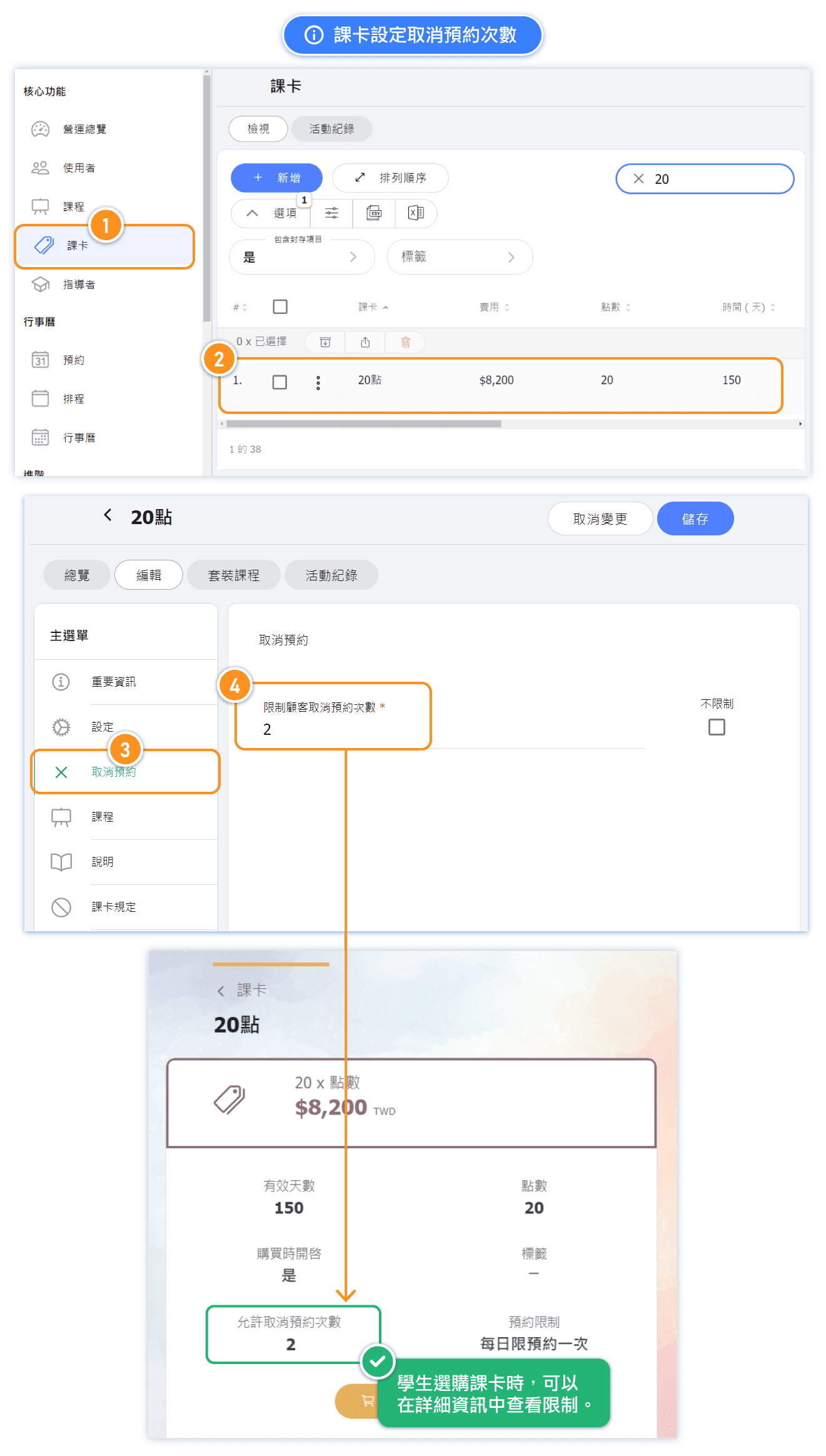
You can set the number of "Cancel Reservation --> Limit customer cancellations" for each pass, which limits how many times a customer can cancel appointments using that pass.
This is often necessary when students purchase passes that allow unlimited bookings within a certain period.
Please note: The value set on the pass page will be the default applied to new passes issued to customers. If you need to update existing passes, you will need to manually adjust the settings for each customer’s pass.
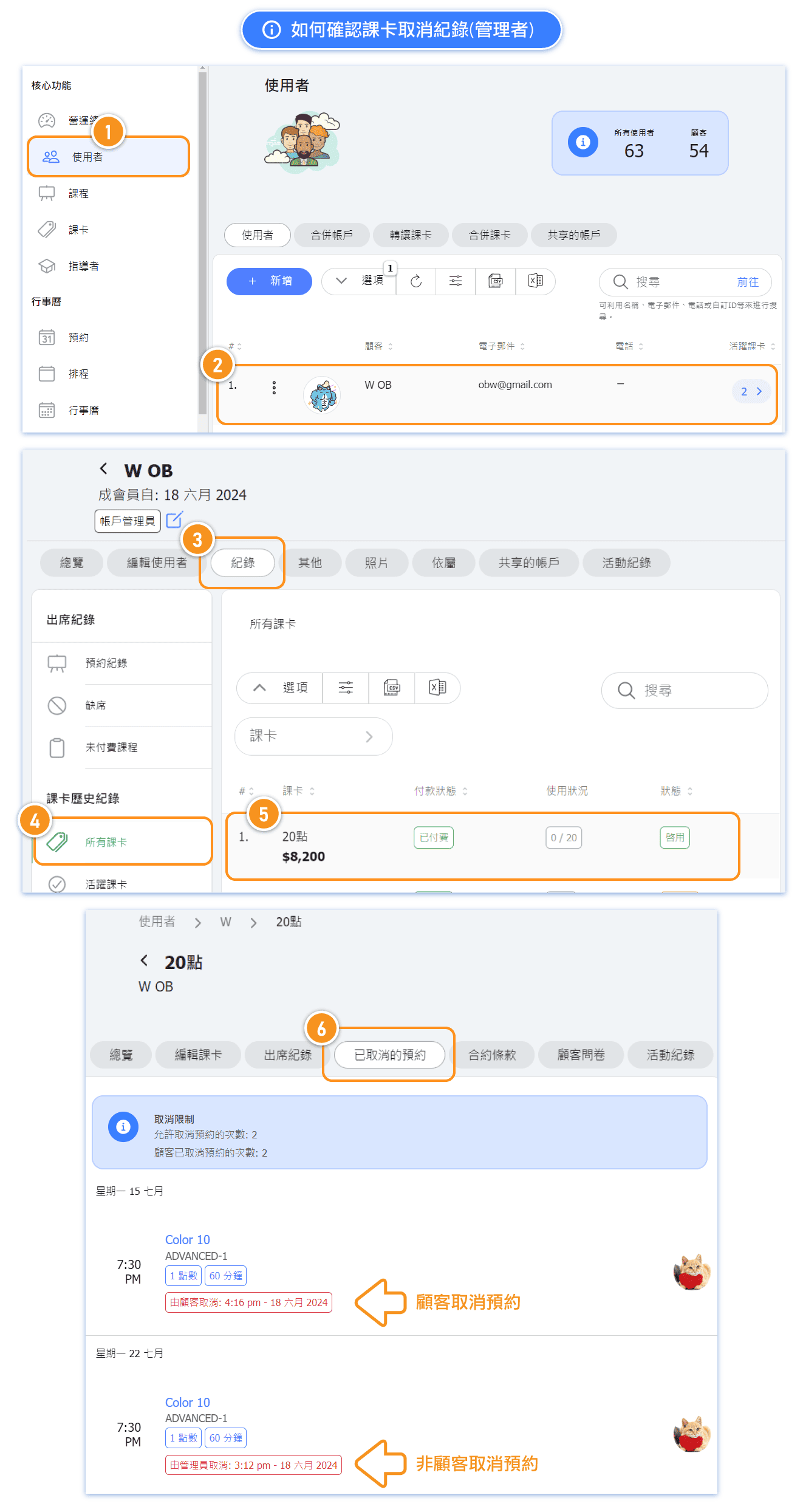
Tip: Setting this value to 0 will prevent customers from canceling appointments with this pass. * Please note, only cancellations made by customers themselves will be counted. Cancellations made by admin or instructor will not be included in the count.
Set up the cancellation limit for a pass.
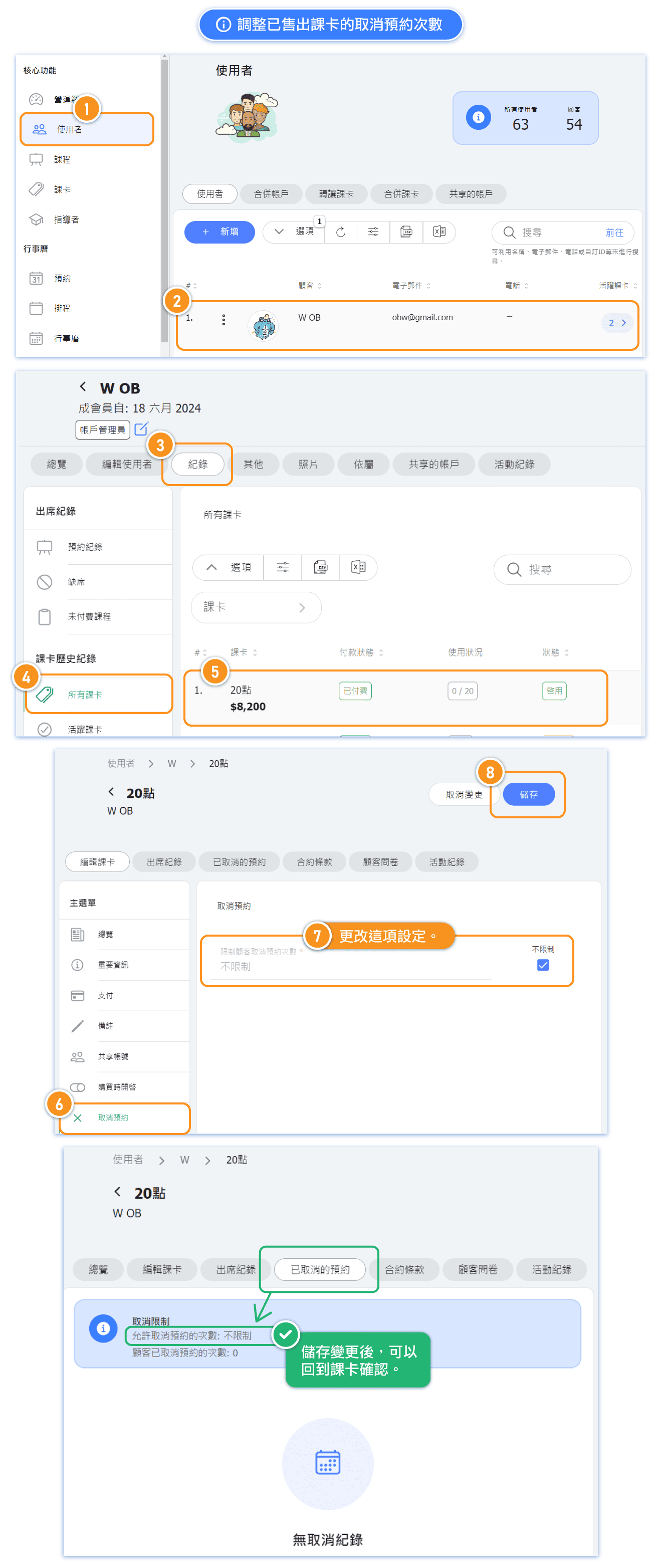
Adjust the cancellation limit for a sold pass.
The cancellation limit setting on the pass page applies only to newly purchased passes and does not affect passes already sold. To apply cancellation limits on passes which already sold to students, you need to manually edit their pass settings.
Where to view pass cancellation records as admin.
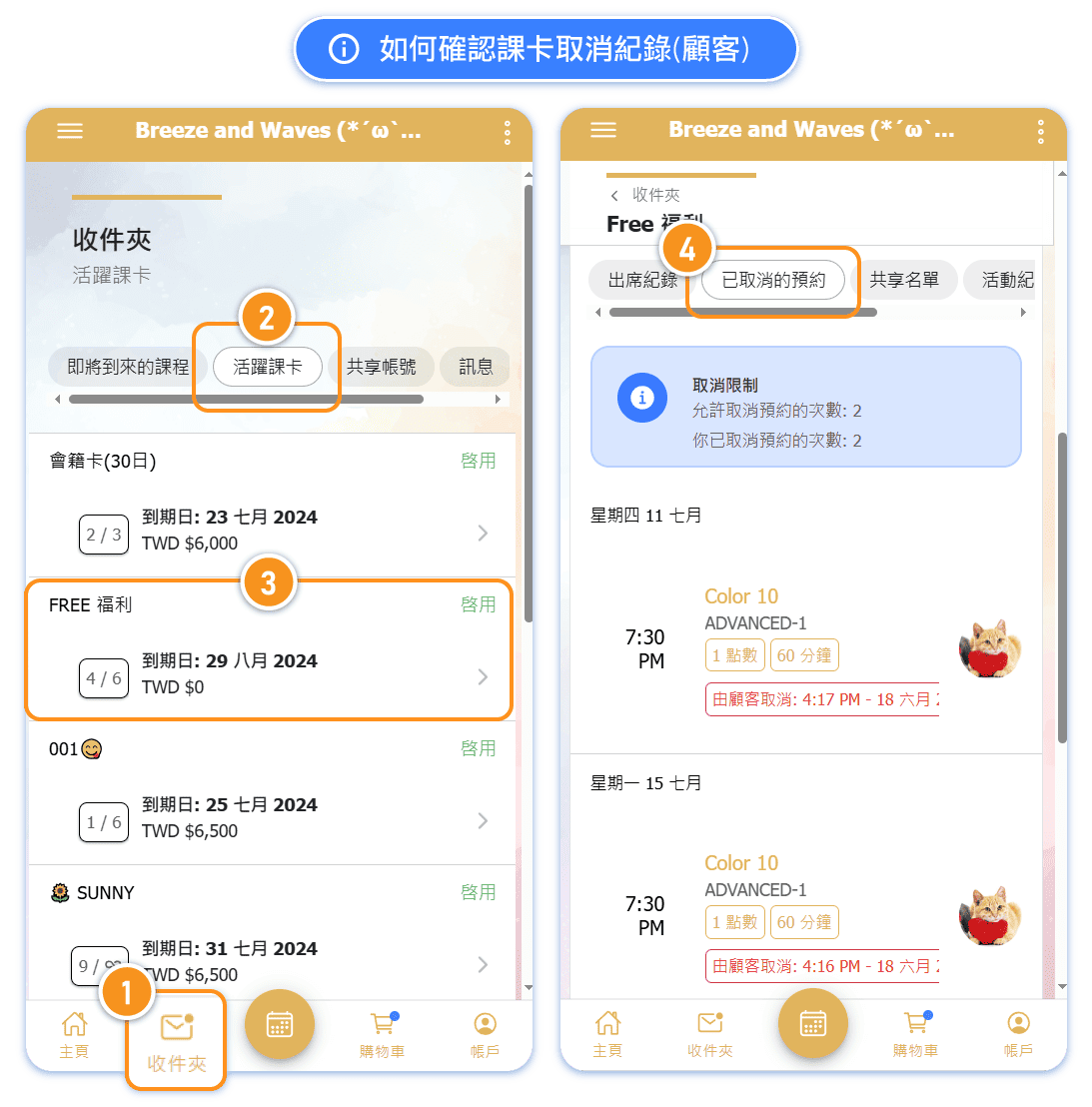
Where to view pass cancellation records as customer.