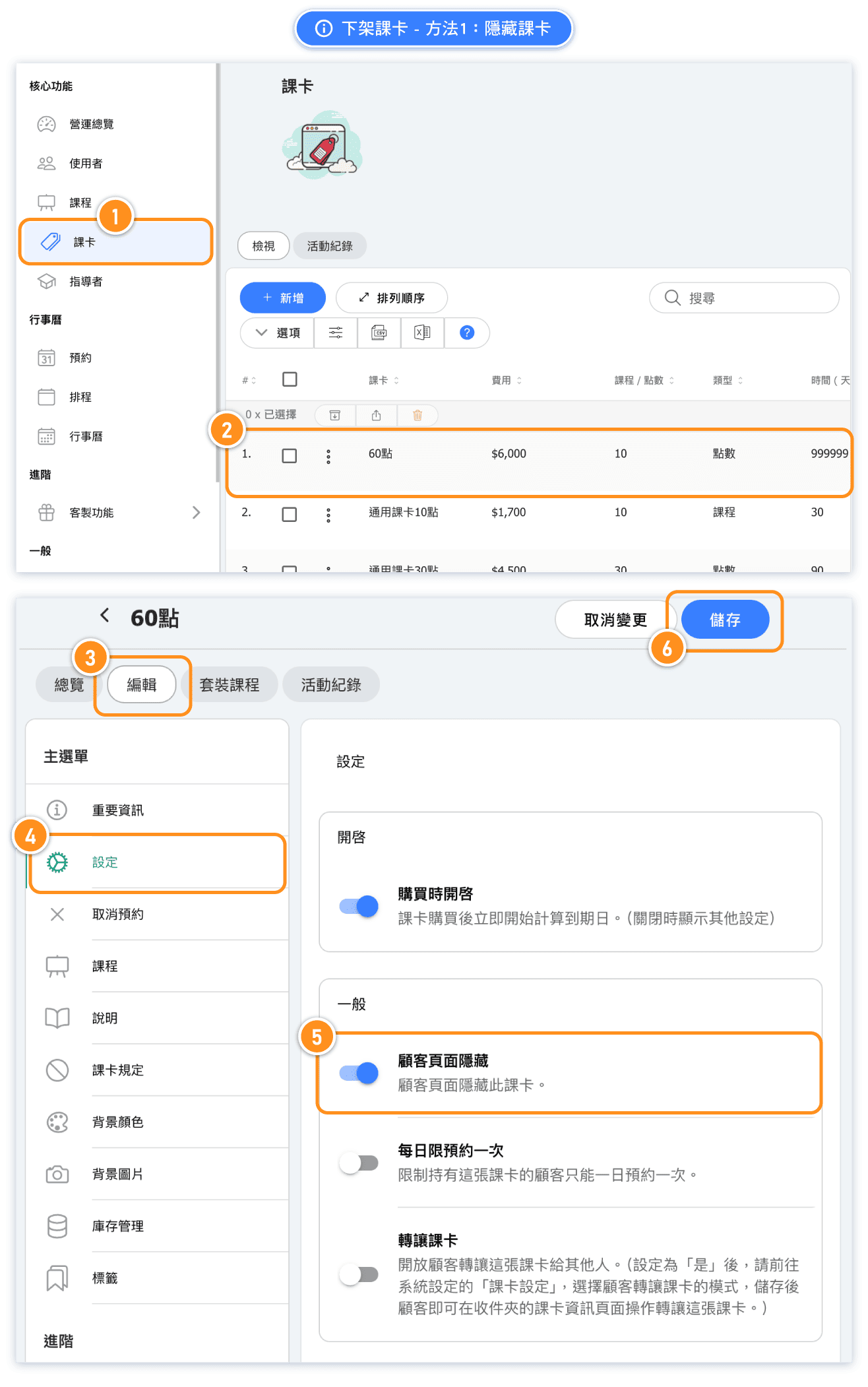
Solution 1: Hide the pass
When you no longer want to publicly sell this pass and wish to hide it from all customers, but still need to add unpaid passes to specific customer accounts for checkout purposes, you can use this method.
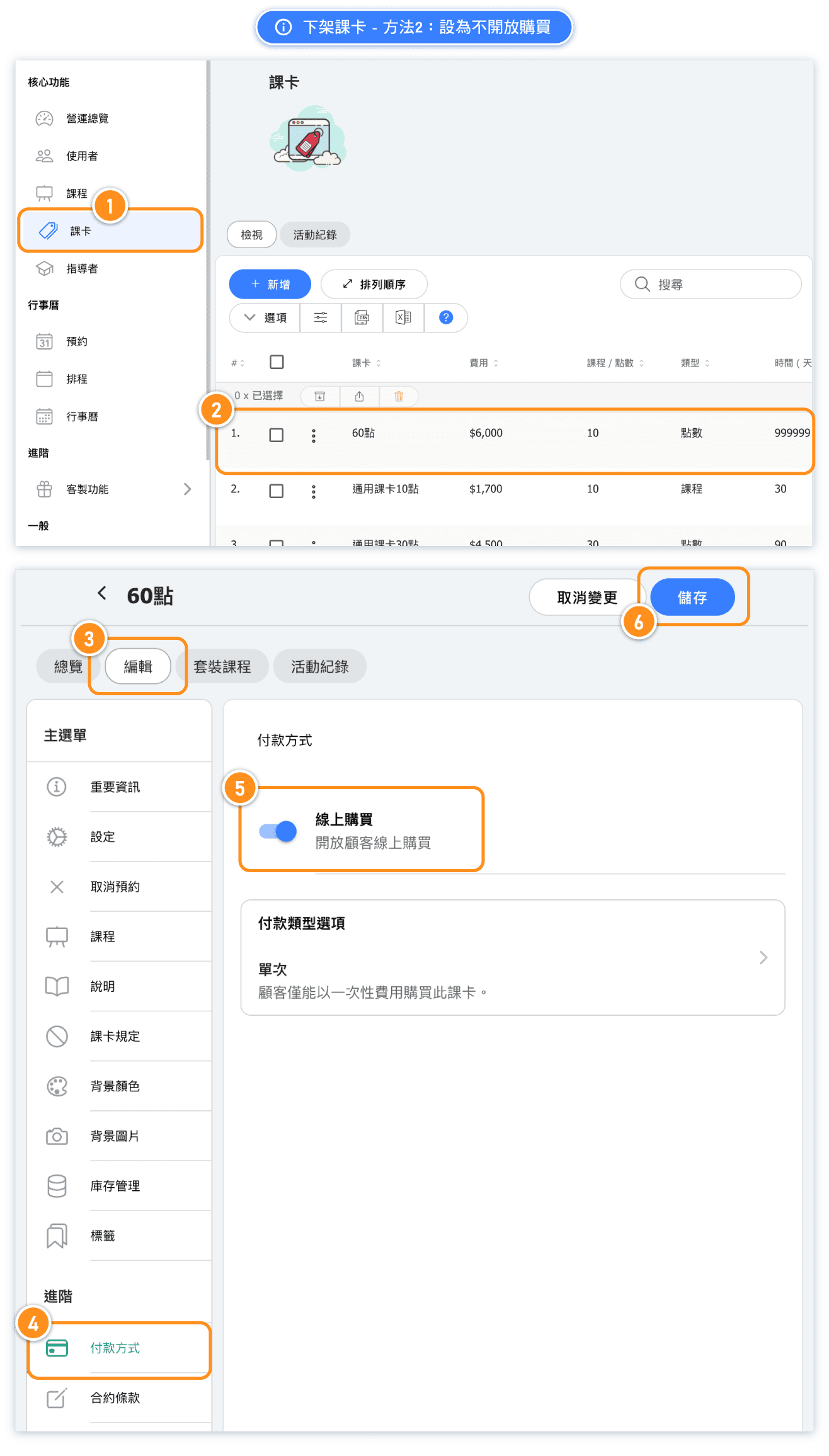
Solution 2: Set it as unavailable for purchase
If you no longer want to publicly sell this pass but still wish for customers to see it, you can use this method.
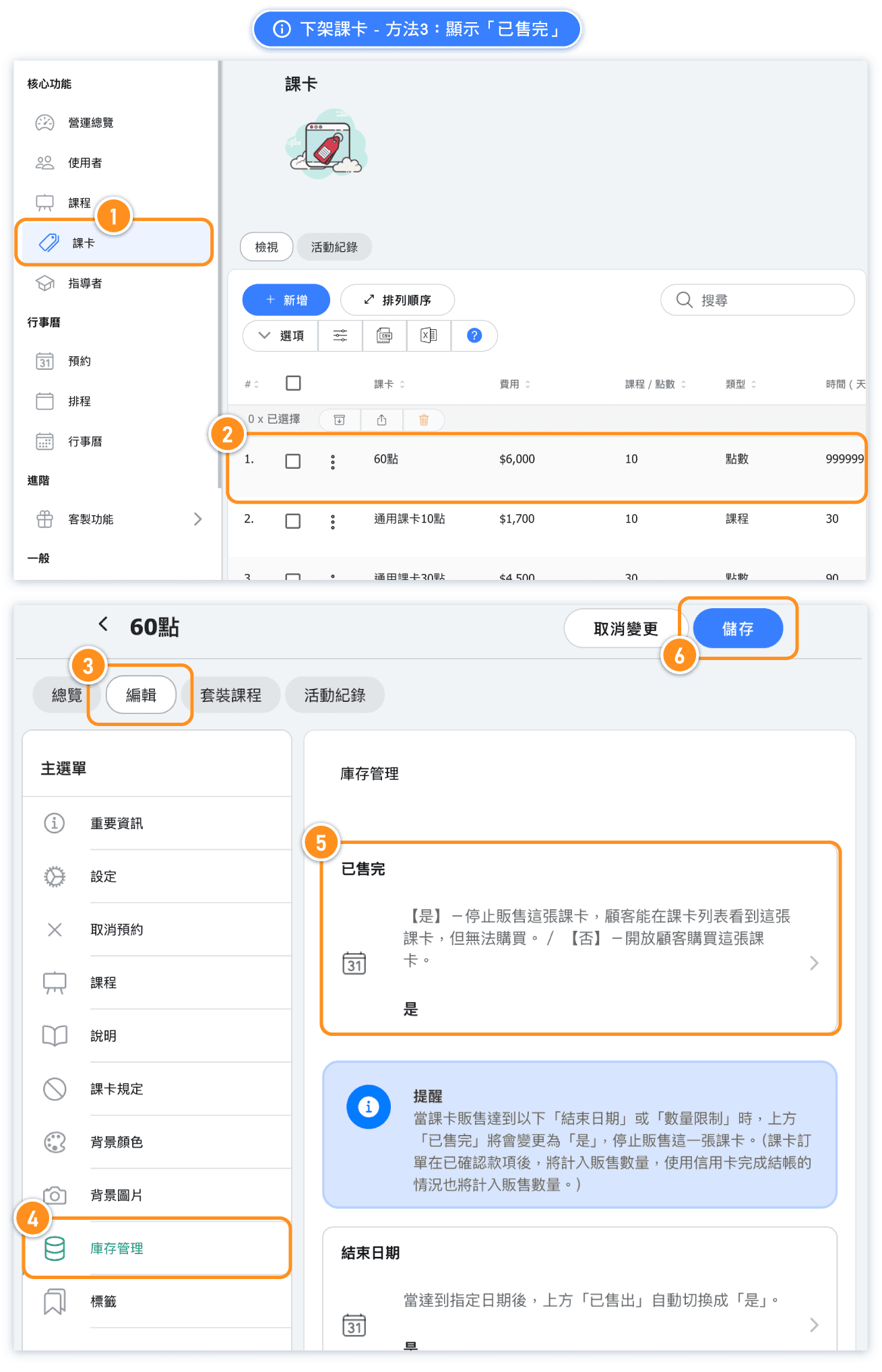
Solution 3: Display 'Sold Out'"
When you no longer want to publicly sell this pass but want it to remain visible to customers with a "Sold Out" label, you can use this method.
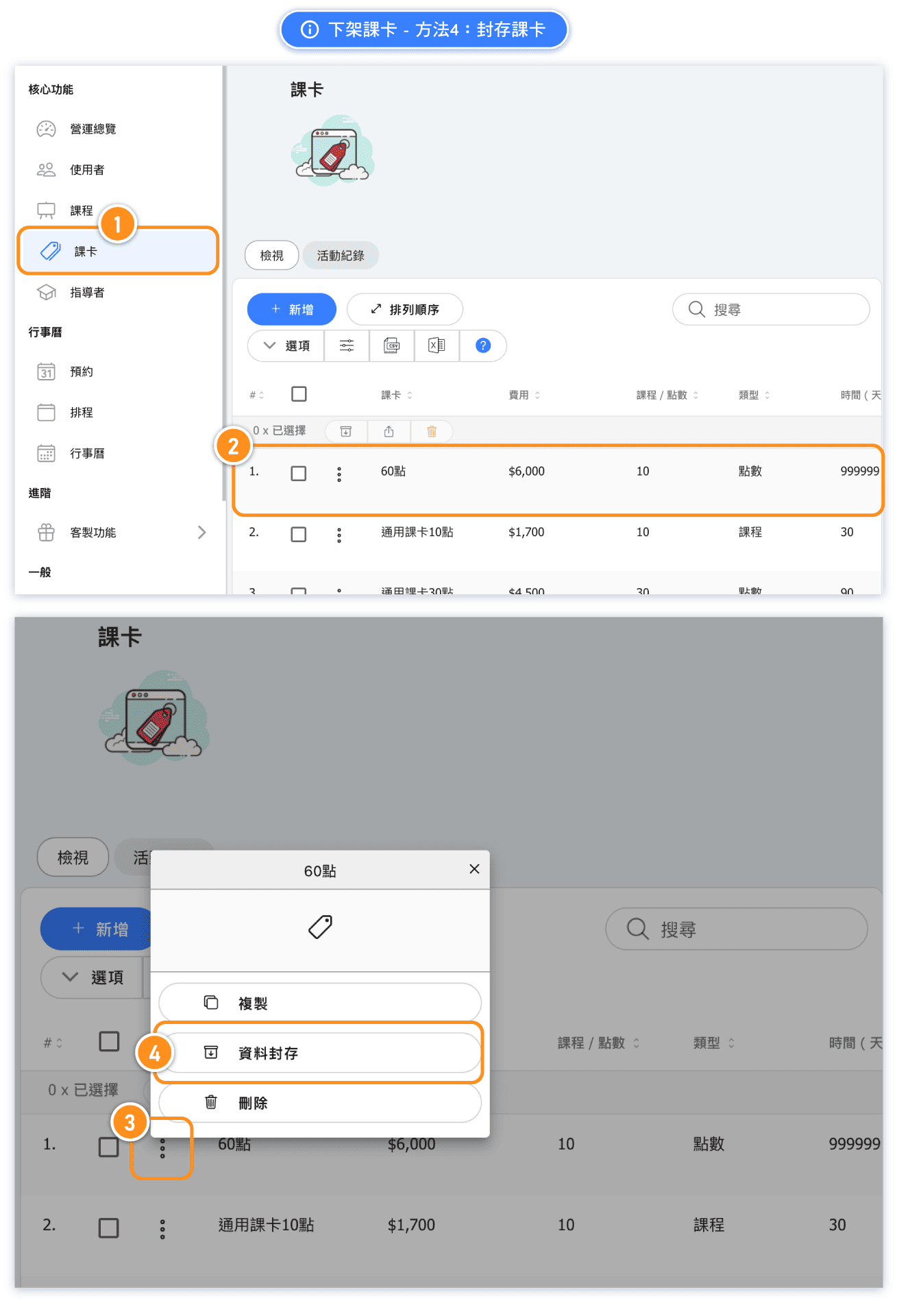
Solution 4: Archive the pass
If you no longer wish to publicly sell this pass and want to hide it from all customers, preventing anyone with unpaid passes from adding it to the cart for checkout, you can use this method.