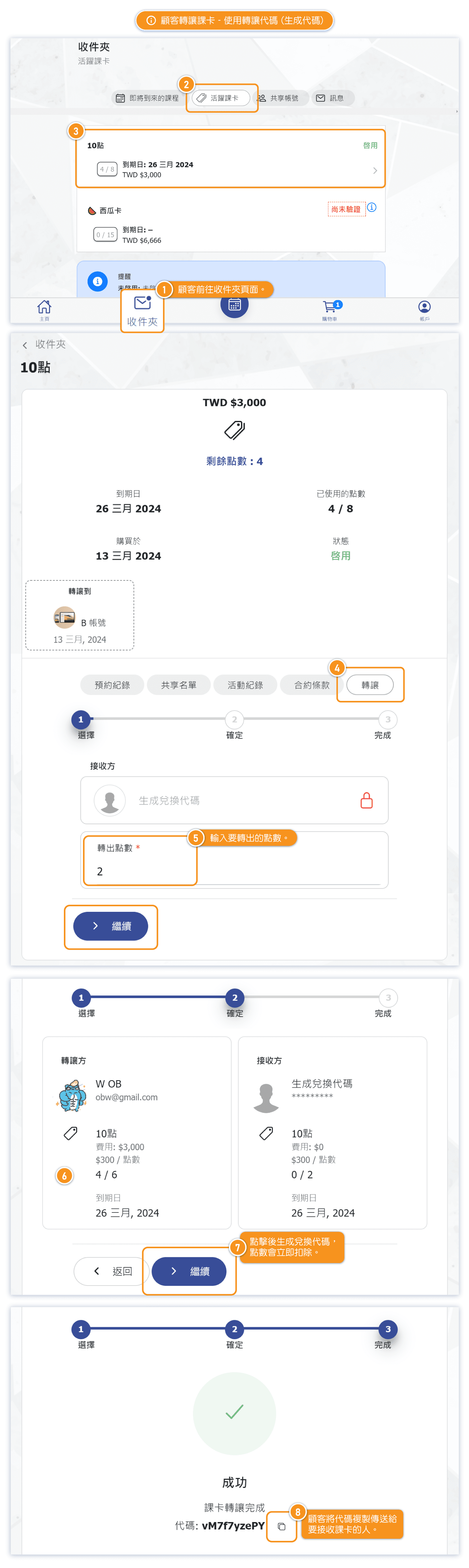
Transfer by Code - Generate code
You can go to the "Transfer" tab within their purchased pass details, where you can input the number of classes (or points) you wish to transfer out.
After confirmation, a "Transfer Code" will be generated. You can then copy this code and provide it to others.
The receiver only needs to input the transfer code to complete the transfer and get the pass.
*Please note that when generating a transfer code, the number of classes (or points) will be deducted immediately from the selected pass. Cancelling the transfer code will return the deducted classes (or points) back to the original pass.
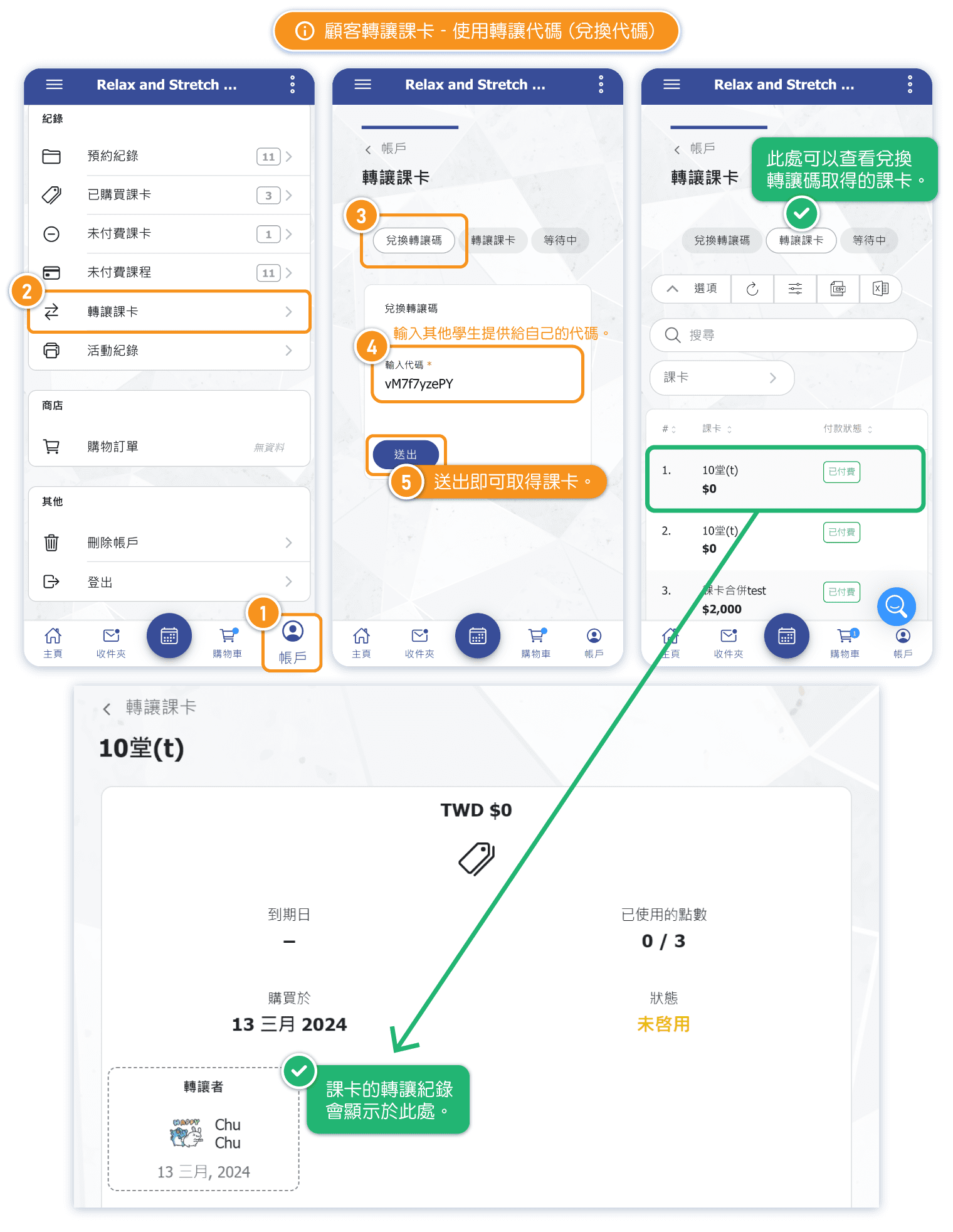
Transfer by Code - Redeem Code
When you obtain a transfer pass code from someone else, you can navigate to the "Transfer Pass" section under their account settings. There, you can enter or paste the received code into the "Redeem Transfer Code" field to acquire the pass.
*If the person who provide the code has cancelled the code, the code will immediately become invalid and cannot be redeemed.
*Each code can be redeemed only once.
*Once someone successfully redeems the code, the transferor will immediately receive a system message notification.
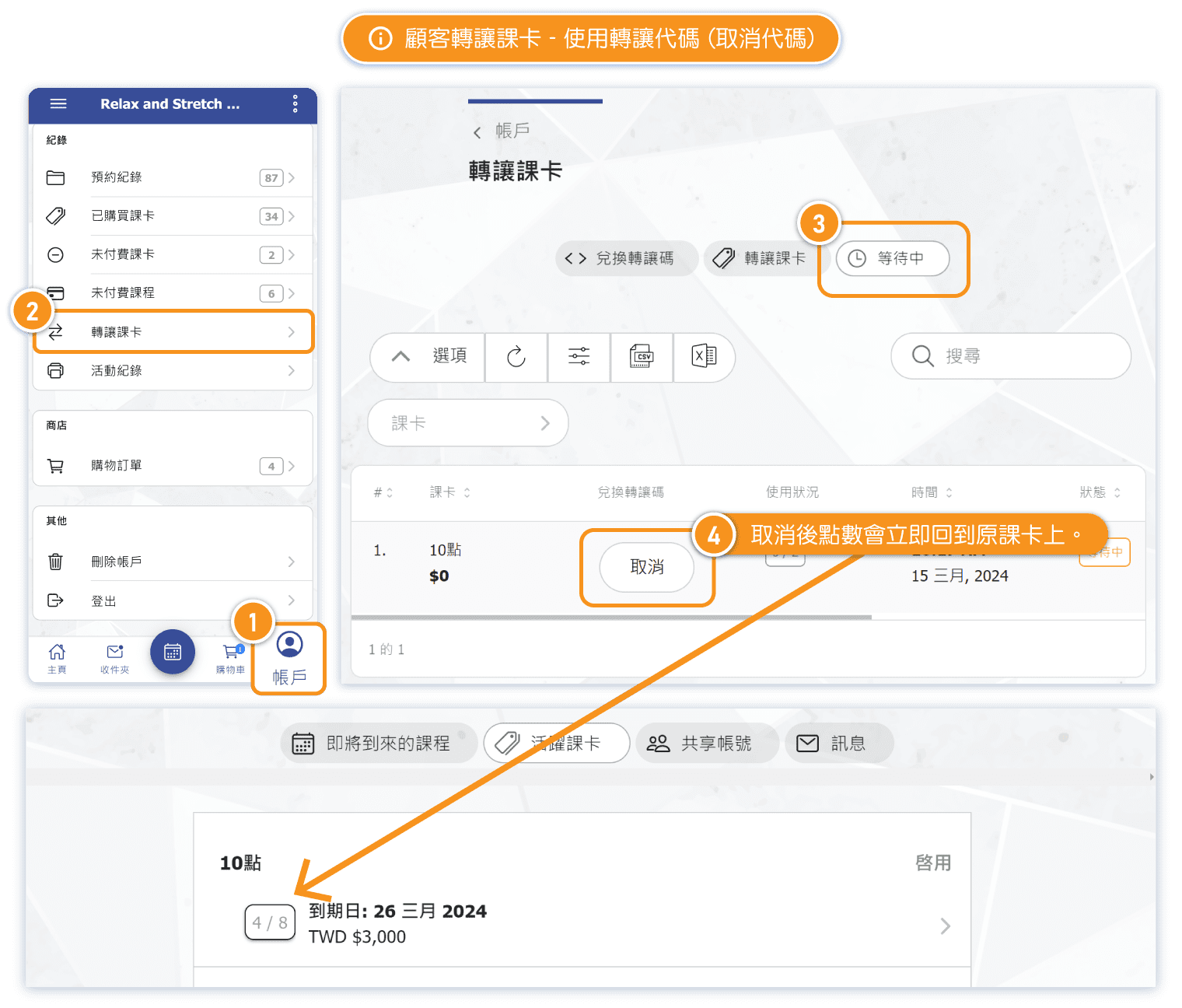
Transfer by Code - Cancel code
If a you change your mind and decides not to transfer the pass, you can go to "Account" -> "Transfer Pass", and cancel the transfer code while it's still under "pending".
In this case, the deducted sessions (or points) will be returned to the original pass.
Immediate Transfer
When you transfer passes, you can search for other users in the studio and directly transfer your pass to them. Once the transfer is completed, it cannot be canceled or restore, and the receiver will immediately receive the pass.
*When using immediate transfer, the pass receiver will receive a system message notification right after the transfer is completed.
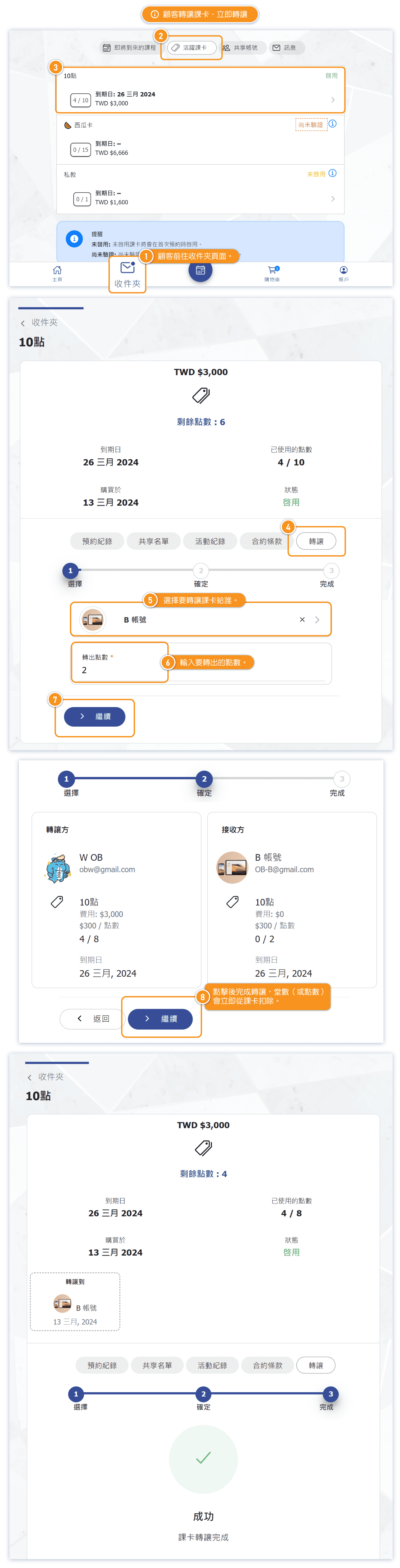
Records of Pass Transfer
If a pass has any transfer records, it will display in the pass detail information.

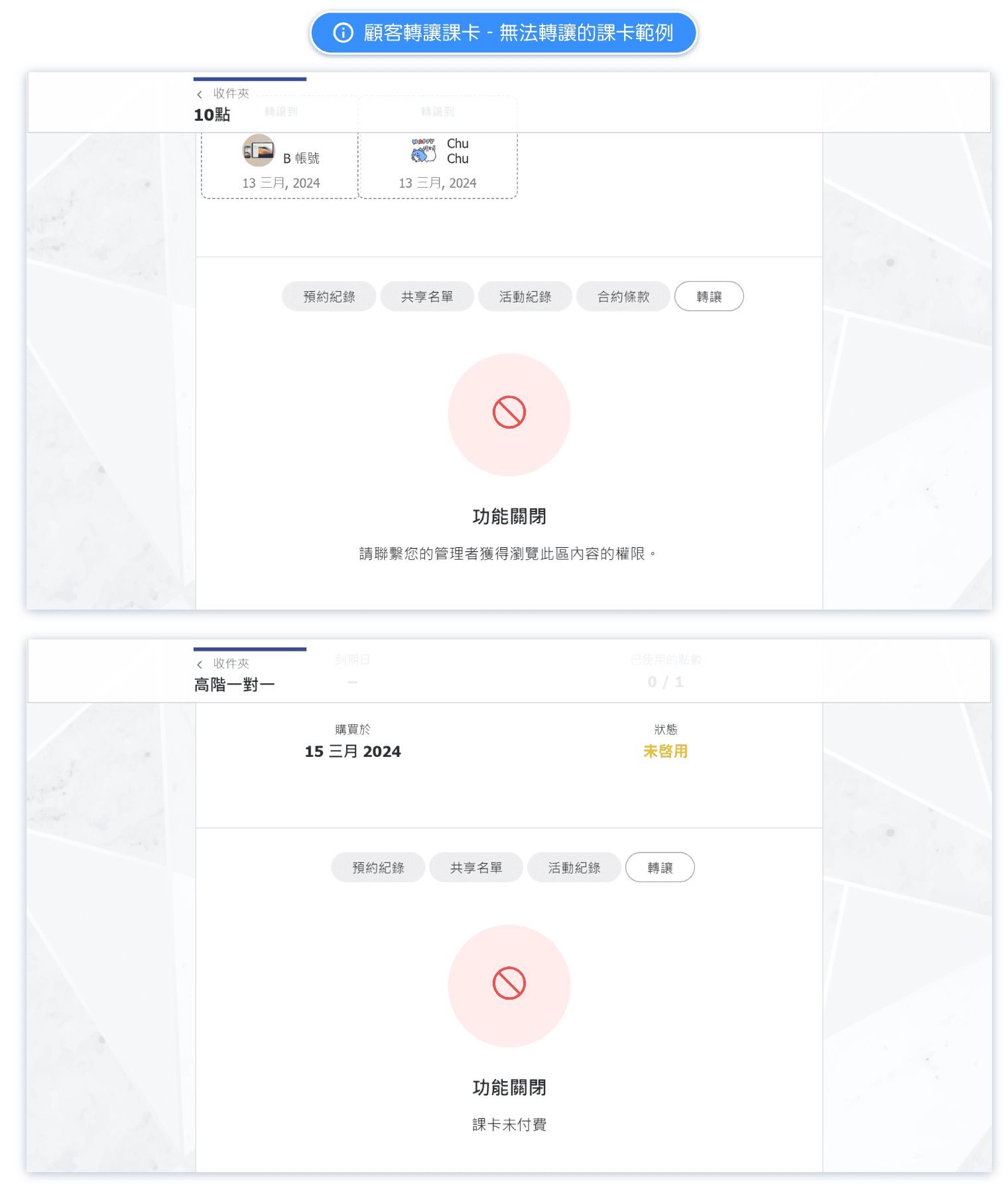
What types of passes cannot be transferred?
Passes that cannot be transferred include:
- Shared passes
- Passes purchased but not yet confirmed by the store
- Unpaid passes added to the customer's account by the administrator
- Expired passes
- Passes with no remaining sessions/points
- Passes that the store has set as not transferable
If a pass cannot be transferred, the pass will display a warning message. The warning message will vary depending on the reason why the pass cannot be transferred.