What is pass validty?
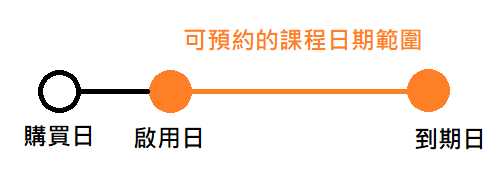
The validity period setting of a pass refers to the date range during which the pass can be used to book classes.
The range of class dates available for booking by the customer purchased pass is from the activation date to the expiration date.
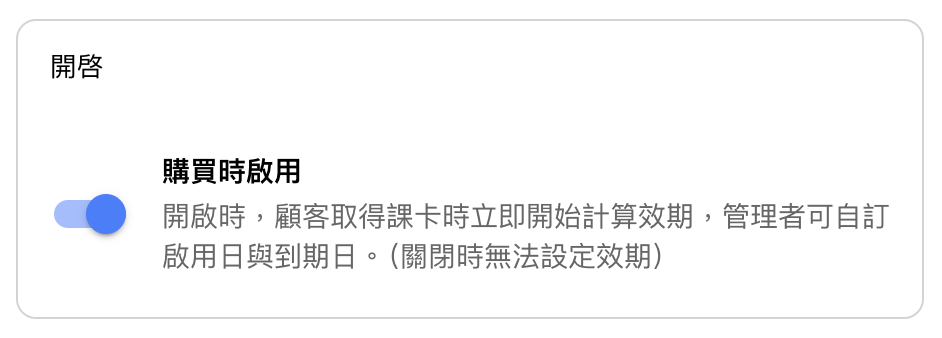
Activate on Purchase (Validity starts from the date of sale)
When a customer completes an order and payment is confirmed in the backend, the class pass will be activated immediately, and the validity period will begin.
(If the customer pays by credit card, the validity period starts upon successful checkout.)
Activate on Booking (Validity starts from the first booked class)
If the customer receives the class pass but it is not activated, its status will display as “Not Activated.” The validity period will begin on the date of the customer’s first booked class.
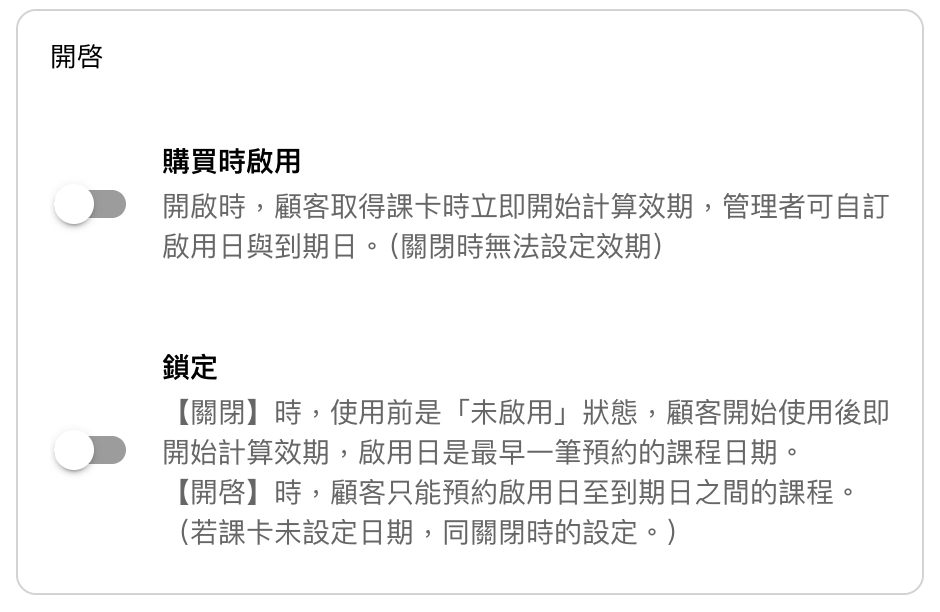
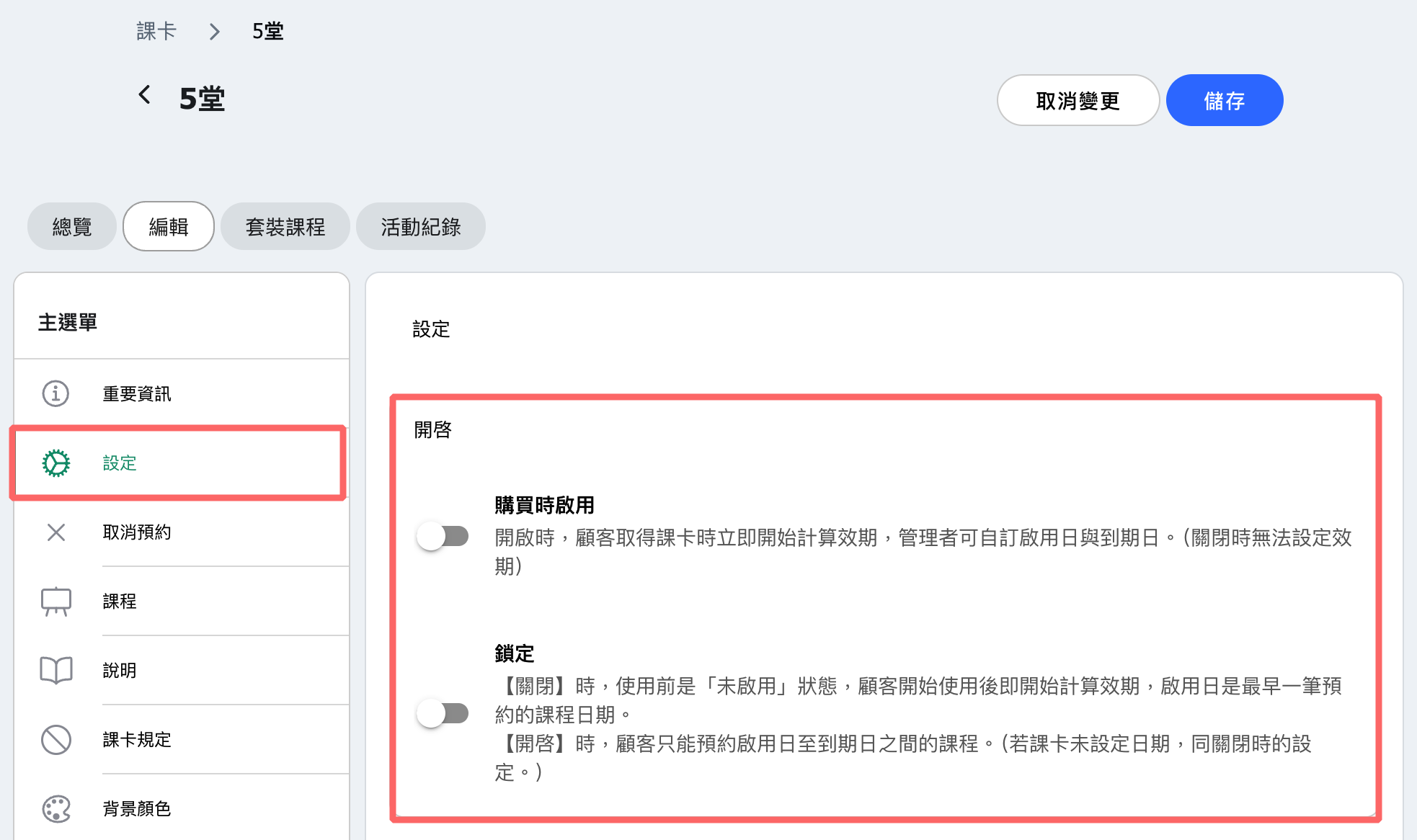
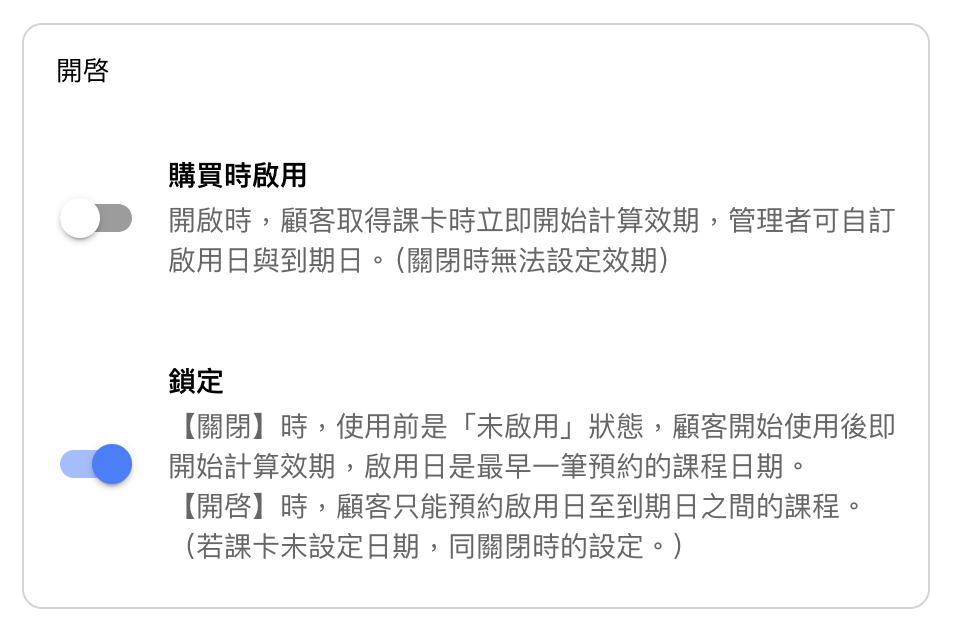
Lock (Fixed usage period)
If the sold class pass is set to “Locked,” the administrator can specify the activation date and expiry date. The customer will only be able to book classes between these two dates.
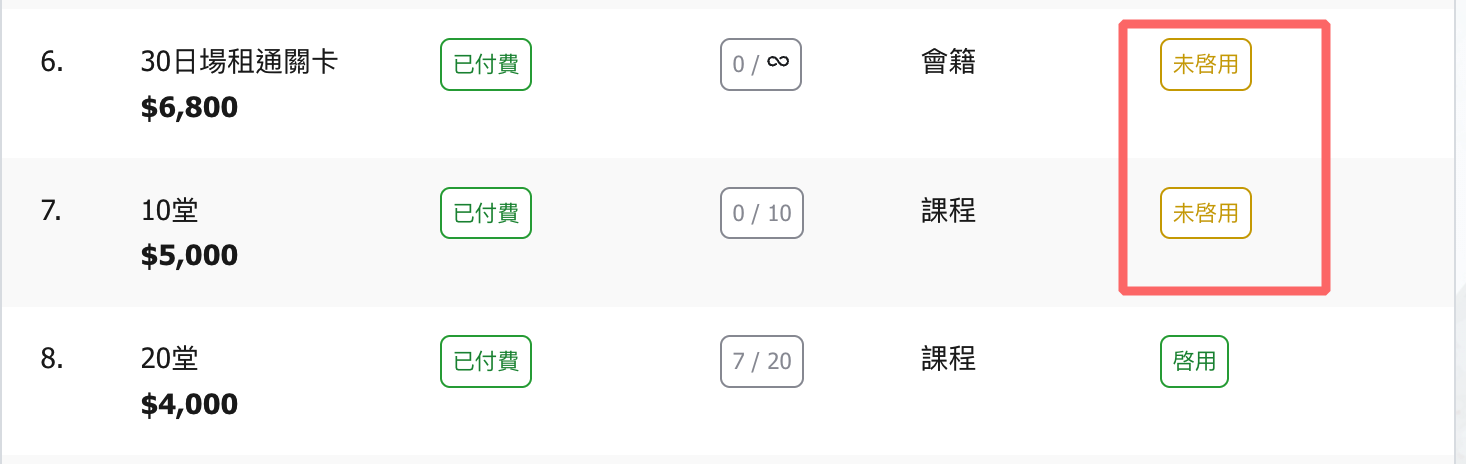
FAQ 1: Why does a sold pass show as “Not Activated”?
If a pass has not yet started its validity period, it will display as "Not Activated."
Once it is used, the status will change to "Activated" and the activation date and expiry date will be applied to the pass based on your settings.
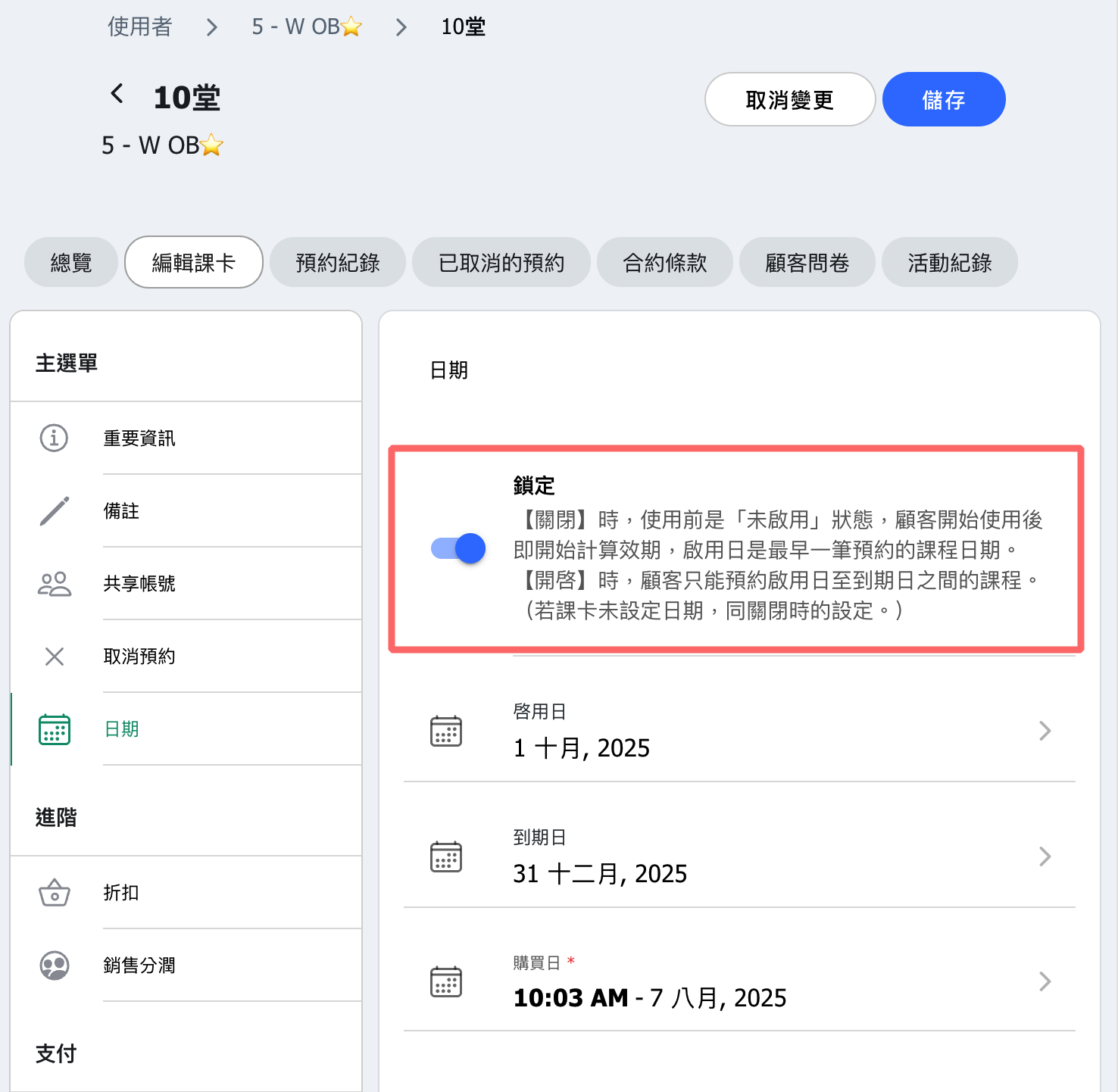
FAQ 2: Why can students book classes outside the validity period even when the activation date and expiry date are set?
To restrict customers to booking classes only within the validity period (after the activation date and before the expiry date), make sure to enable the "Lock" option after setting the dates.
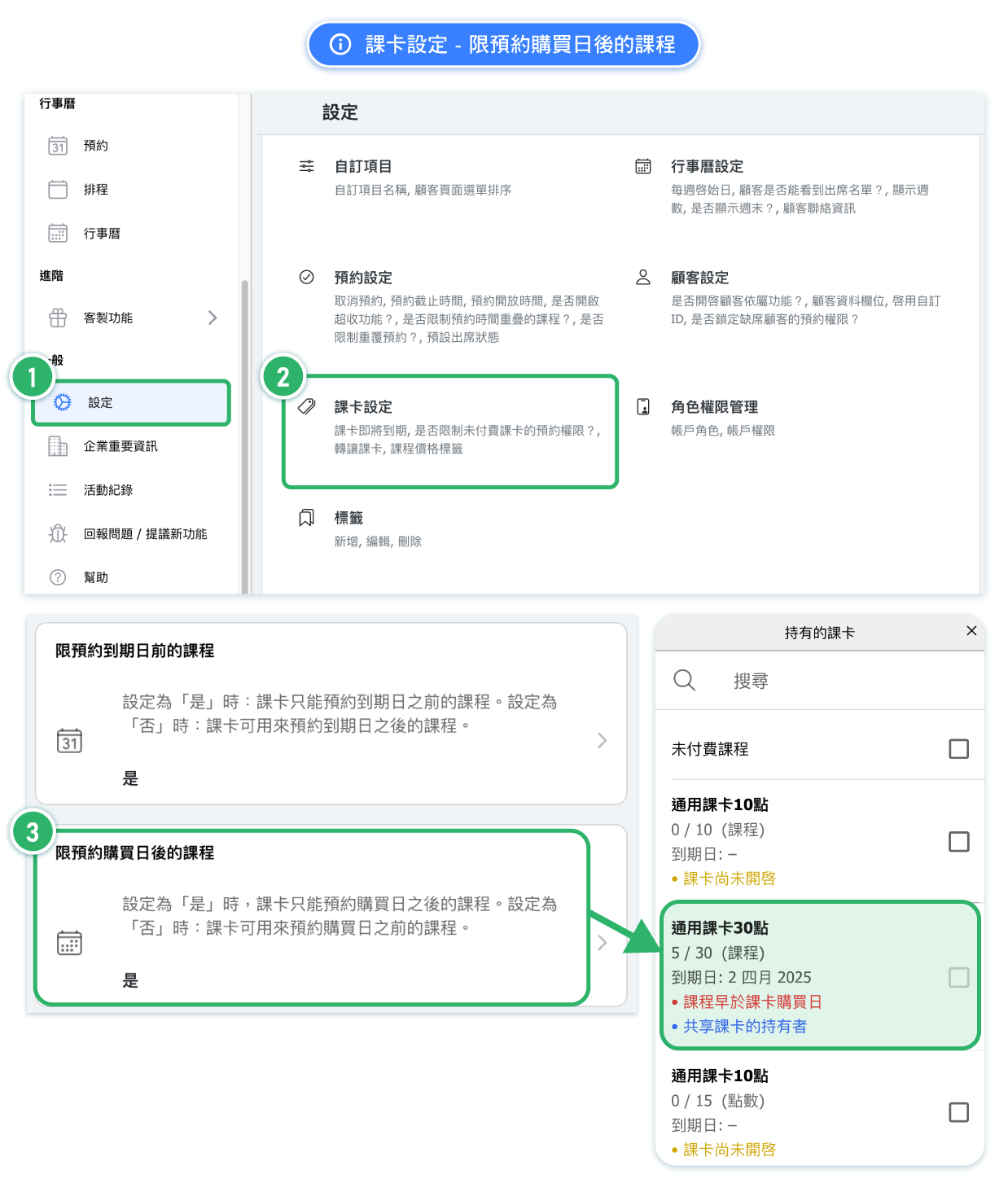
FAQ 3: Can I allow students to book classes before the purchase date?
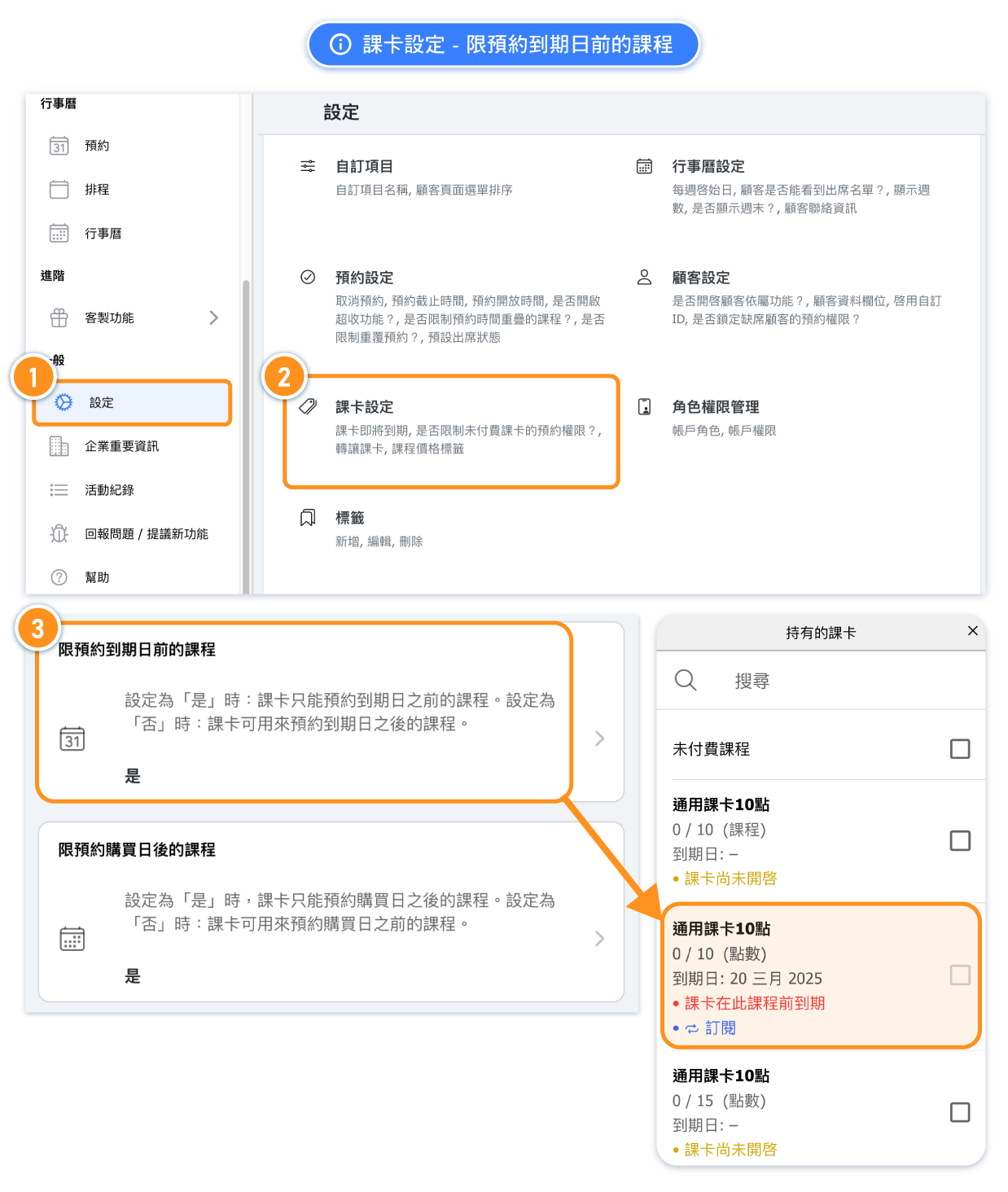
Yes. Go to Pass Settings and disable "Restrict booking by purchase date". (Set to NO.)*This setting is enabled (YES) by default.
Set to "No" → Pass can also be used for classes booked before the purchase date.
[Instructions]
- Click Settings in the left menu.
- Select Course Card Settings.
- You can toggle the Limit Booking to Courses After Purchase Date option.
FAQ 4: Can I allow students to book classes after the expiry date?
Yes. Go to Pass Settings and disable "Restrict booking by expiration date". (Set to NO.)*This setting is enabled (YES) by default.
Set to "No" → Students can book classes which is later than the pass expires.
[Instructions]
- Click Settings in the left menu.
- Select Course Card Settings.
- You can toggle the Limit Booking to Courses After Purchase Date option.