
What are the two date restriction settings for passes?
Passes have two settings that control when customers can book classes:
- Restrict Booking by Expiration Date: Controls whether customers can book classes that occur after their pass expires
- Restrict Booking by Purchase Date: Controls whether customers can use their pass for classes that occurred before they bought it
Both settings default to "Yes" (restricted), but you can turn either off to give customers more flexibility.
How do I allow booking classes after the pass expires?
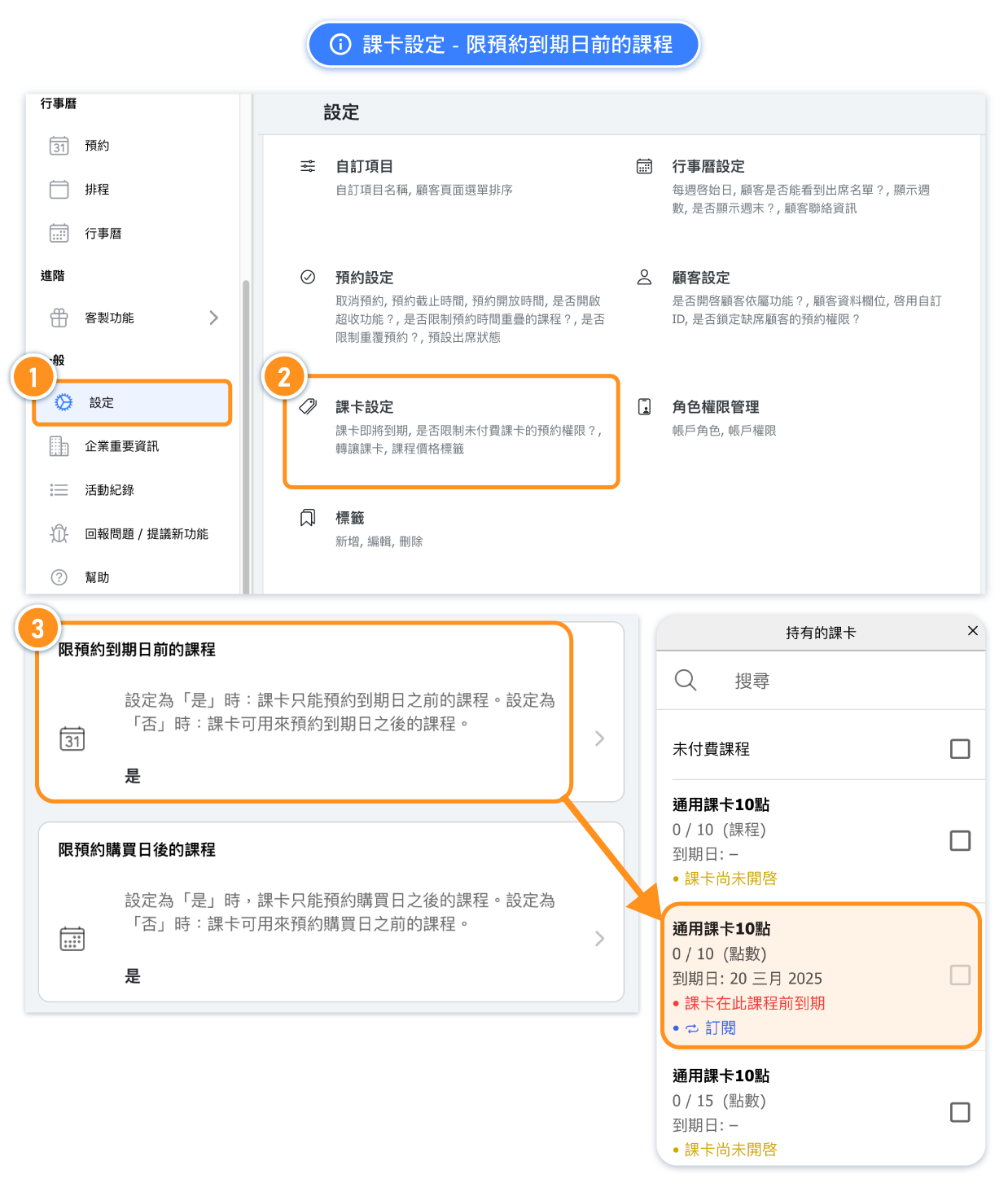
The "Restrict Booking by Expiration Date" setting controls whether customers can book future classes that fall outside their pass validity period.
Example scenario: A customer has a 1-month pass expiring on March 31st, but wants to book a class on April 15th. With the default setting, this booking would be blocked.
Setting options:
- Yes (Default): Customers can only book classes that occur before their pass expiration date
- No: Customers can book any future class, even if it occurs after their pass expires (as long as the pass is still valid when booking)
How do I allow passes to cover classes taken before purchase?
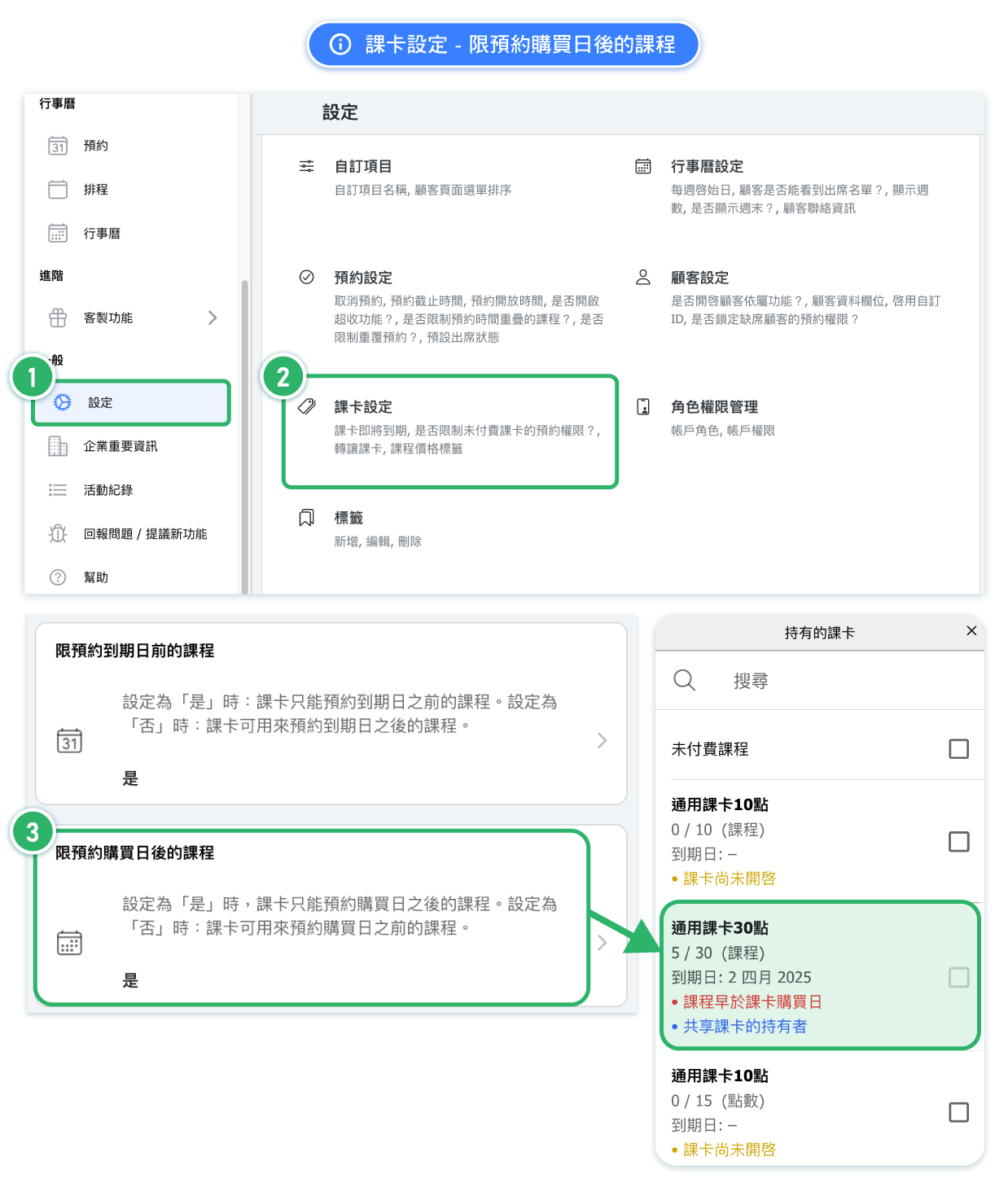
The "Restrict Booking by Purchase Date" setting controls whether passes can be applied to classes that occurred before the customer bought the pass.
Example scenario: A customer attends classes on March 1st and 5th, then buys a pass on March 10th. With the default setting, the pass cannot cover those earlier classes.
Setting options:
- Yes (Default): Pass can only be used for classes booked after the purchase date
- No: Pass can also be applied to classes that occurred before purchase (useful for "pay later" policies)
When should I turn off these restrictions?
Turn off "Restrict by Expiration Date" when:
- You offer short-term passes (1-2 weeks) but classes book up far in advance
- Customers frequently complain they can't book popular classes before their pass expires
- You want passes to function more like "credits" without strict time windows
Turn off "Restrict by Purchase Date" when:
- You allow customers to try classes before committing to a pass
- Your business model supports "pay later" arrangements
- You want flexibility to retroactively apply passes to recent attendance
Frequently asked questions
Q: If I turn off both restrictions, are there any limits at all?
A: Yes, the pass still has a total number of classes or points that can be used. The date restrictions only control which classes those credits can be applied to.
Q: Can I change these settings for existing passes?
A: Yes, but changes will affect all customers currently holding that pass type. Consider creating a new pass variant if you only want to offer the flexibility to new customers.
Q: Will turning off restrictions cause accounting issues?
A: It may complicate revenue tracking if passes are used for classes in different billing periods. Make sure your accounting processes can handle this flexibility.


