Guidelines of Bug Reports
Due to regulations on personal data protection, only the engineering technical team authorized by the company can access your business data. Customer service personnel and specialists outside the engineering team are not permitted to access your business data for any operations.
For any issues related to business management or business data, such as the inability to save edited course data or difficulty finding certain information, please provide detailed text descriptions and video recordings of the operation process (or screenshots of the problem page) via the "Bug Reports" on the admin page. You will be able to directly contact the engineering technical department of our company for assistance. (Please refer to the problem reporting tips below. With complete reporting information, your inquiries will be answered more quickly.)
⏰ OB Engineering Department Response Hours: Monday to Friday - 8:00 ~ 17:00
(During holidays and national holidays, emergency problem reports will be handled by the on-duty personnel in the engineering department. Emergency situations include multiple users unable to access the system simultaneously or multiple customers unable to make reservations.)
🛠️ Contact Channel for OB Engineering Department: "Bug Reports" page in the system backend menu
※ You can also submit your questions or operational issues in the "Report a Problem" section during non-business hours, and the engineering department will process them as soon as possible during working hours.
█ Please do not enter personal confidential information such as names, addresses, ID numbers, or credit card numbers during the conversation. If such information is required during the service, we will notify you in advance and clearly state the purpose of use.
█ Please do not transmit defamatory, insulting, obscene, harassing, or other messages containing offensive or illegal content. The service reserves the right to terminate message transmission in such cases.
Tips for Reporting Bugs (Video)
Tips for Reporting Bugs
Dear OB Customers,
📢 If you encounter urgent issues such as multiple customers unable to make reservations, payment failures, or data storage issues, please visit the "Bug Reports" page on the left side of the system admin page and provide complete information about the issue. Our OB technical team will handle it promptly.
In general, we aim to assist you in understanding and resolving operational or functional issues within one to three business days. For web platform issues, bug fixes are typically completed within a week. However, for issues on the app platform, the fix time may be longer. Fixing app issues requires undergoing the review process of the App Store and Google Play, so the processing time may take two weeks to a month. During the waiting period for app review updates, we recommend using the web version temporarily. Once the app review is completed, we will notify you immediately.
We understand that operating the system can sometimes be stressful, and resolving issues often involves a series of testing, fixes, and retesting. To ensure your issues are resolved quickly and effectively, we kindly request that you provide complete data promptly so that our team can better understand the issues you are facing and assist you in overcoming them in the shortest time possible.
To facilitate this, we provide the following "💡 4W1H Problem Reporting Tips" to help you provide us with complete clues smoothly. 😊
💡 4W1H Problem Reporting Tips
| 4W1H | Content | Example |
| WHO - 誰 | Please specify whether you encountered the issue on the app or website and tell us which page the problem occurred on. | Instructor: Annie Chu。 |
| WHERE - 在哪裡 | Please specify whether you encountered the issue on the app or website and tell us which page the problem occurred on. | Adding a new repeating class on the schedule page on App. |
| WHEN - 什麼時候 | When did the issue occur? | 5/16 3:00 PM |
| WHAT - 什麼事 | Please describe in detail what happened. | When trying to add the "Aerial Yoga" course, there was an error upon saving, and the course did not appear on the calendar after clicking save. |
| HOW - 如何發生 | When describing the issue, please pay attention to whether you provide information on how the issue occurred. | After pressing the save button, there was no response. |
💡 We highly recommend providing video recordings or screenshots of the relevant obstacles or issues. This can help us assist you more efficiently in troubleshooting or resolving the problems.
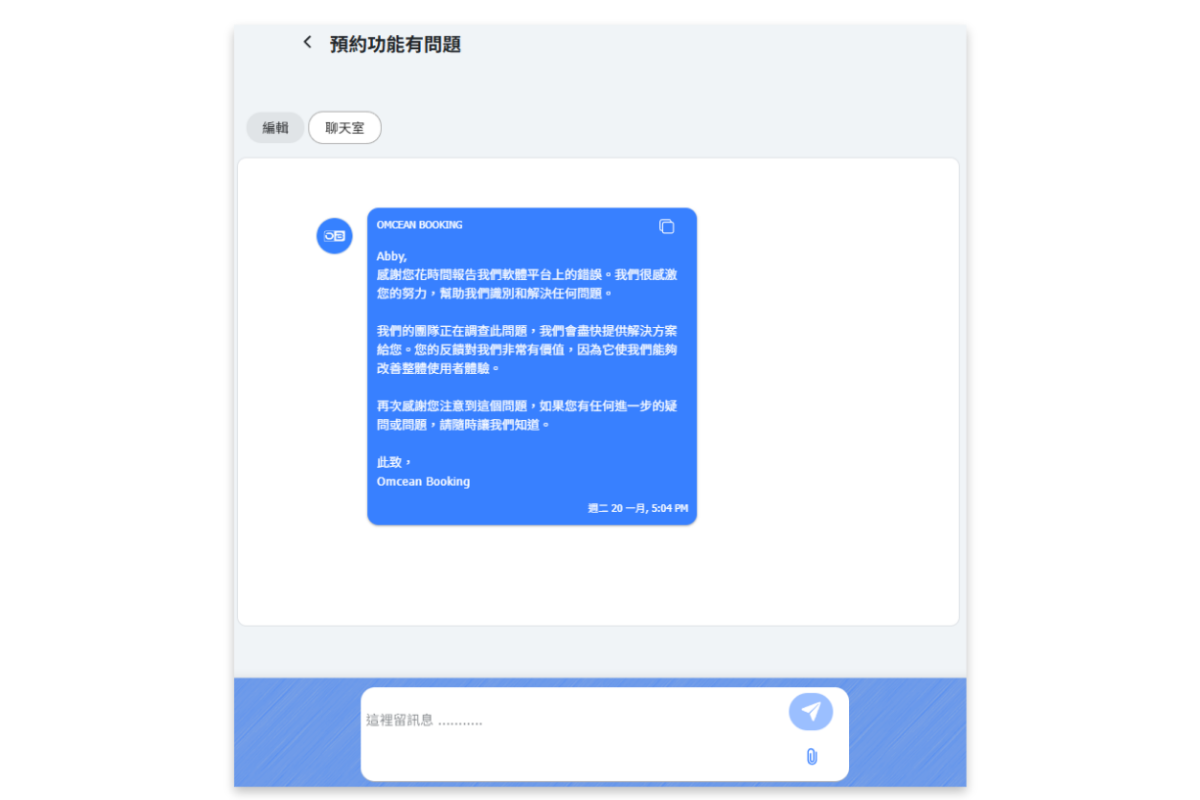
When using the issue reporting feature, to ensure smooth communication, please remember to reply to us in the issue reporting chat room after we respond to you. If you need additional time to gather or confirm information after reporting an issue, please leave a message letting us know that you're collecting data and provide an estimated time for when you can provide the required information. This way, our engineering team can assist you more effectively.
[Instructions]
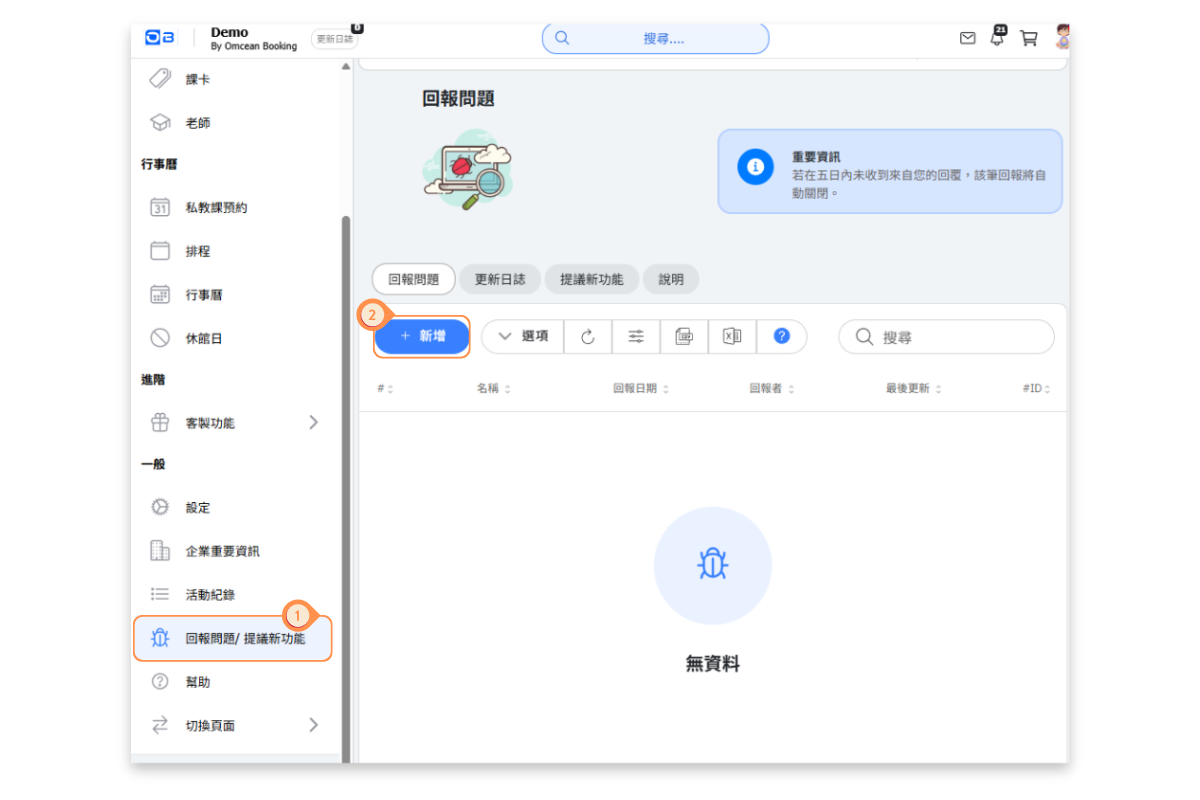
- Click Report a Problem / Suggest a New Feature in the left menu.
- Click + Add.
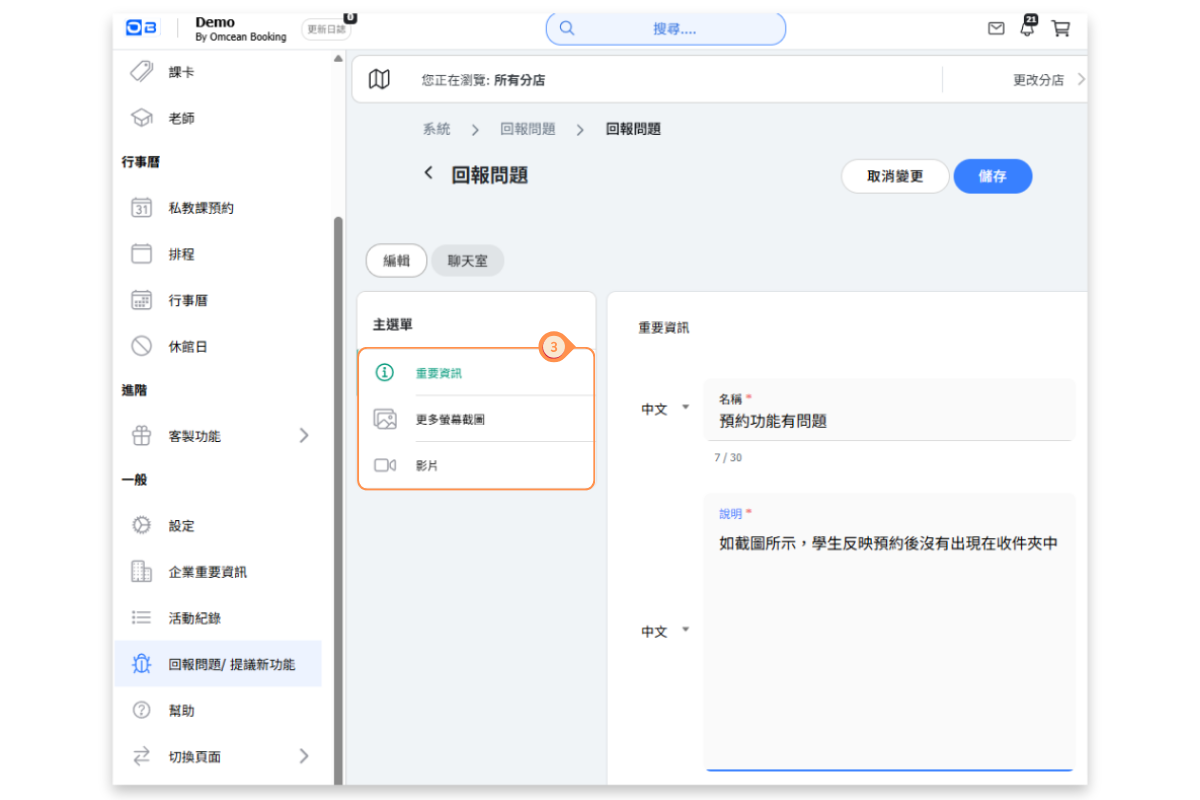
- Fill in the details of the issue one by one. The more detailed the information the store provides, the faster our team can help resolve the problem.
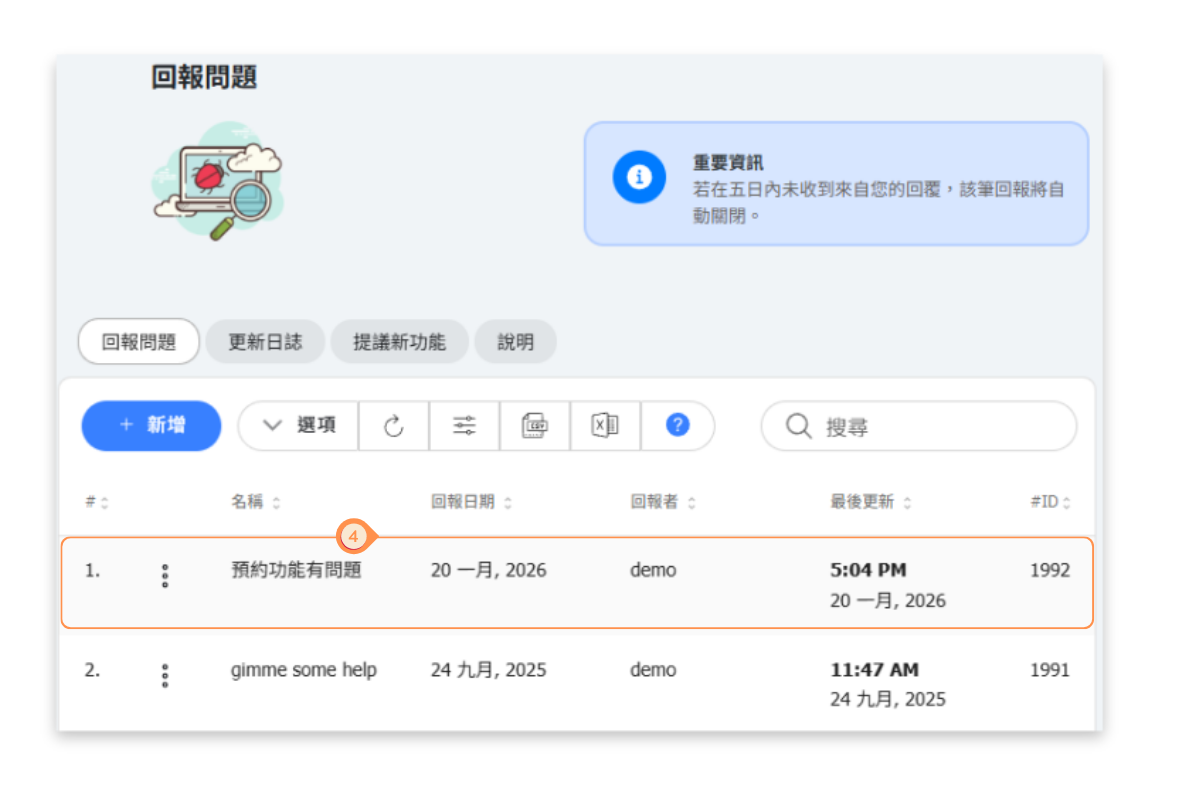
- After submitting the report, the submission record will be displayed. Click on an individual item to enter the edit and chat page.
- Our team will contact you through the Chat to assist in resolving the issue.